

Online Help
Project Options Command - General
This dialog specifies project options. Options are saved for the selected project; user names and passwords are not saved. If no FTP connection is established, use the Project Options panels to modify options for the default project. Use the Export to file and Import from file commands to save and load project options. This may be useful if all team members want to have the same project options.
If you are currently connected to an FTP server, changes to the options in the General tab will only take effect when the next connection is established.
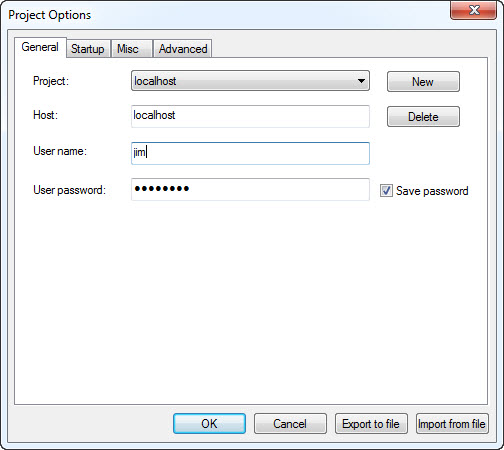
Dialog Box Options
ProjectChoose the name of the FtpVC project. Click the New button to create a new project . Click the Delete button to delete the selected project.
Host
Type here or choose the name of the FTP server you are going to connect to.
User name
Type your user name on the FTP server here. You must have read/write rights in order to use this program.
User password
Type your user password on the FTP server here. You must have read/write rights in order to use this program.
Save password
Check this box if you want to save the password for future connections. Be careful: only use this feature if you are the only user of your computer. Passwords are stored in the system registry, and even though they are encrypted, the encryption will not protect you from someone using the program and consequently gaining full access to the files on the remote server.
Note: the user name and password specified in this dialog are not specific to FtpVC, but are the ones needed to connect to the FTP server. All collaborating users can use the same FTP account if they so prefer.
Copyright © 1997-2025 PrestoSoft LLC. All rights reserved.