
ExamDiff Pro tutorial · Merge (Master edition)
How to Do a Three-Way Merge on Windows
Merge two changed versions of a file with the version they both started from. Changes made in only one version are merged automatically; where both versions changed the same lines differently, you decide what to keep, then save the result.
Video
Steps
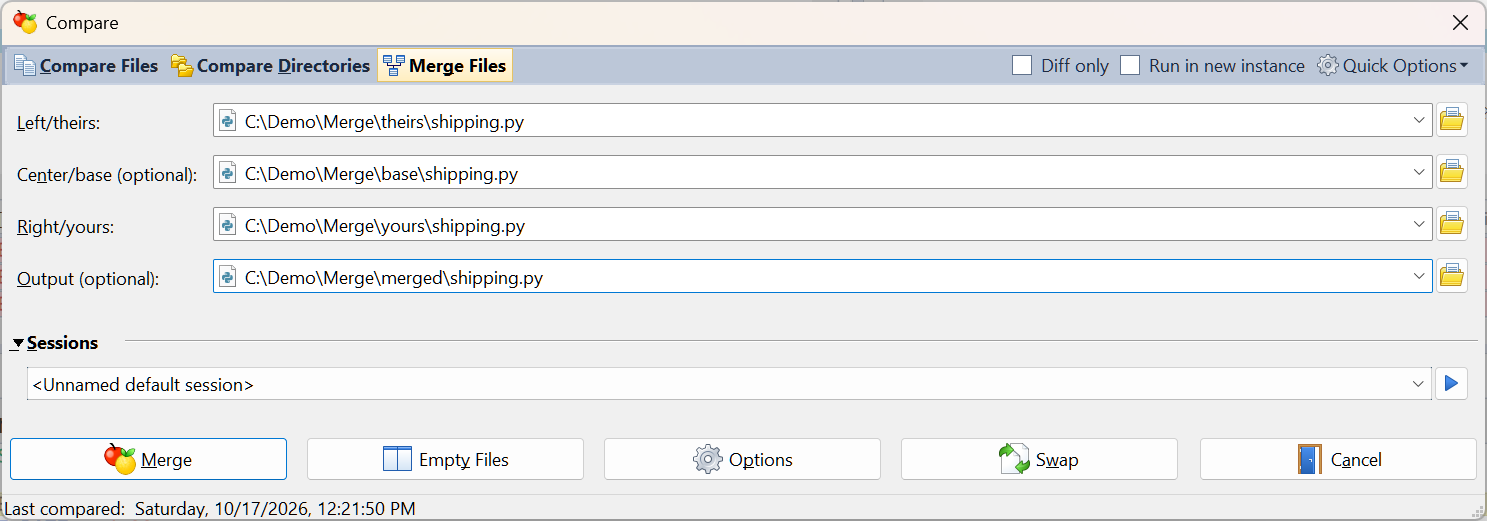
- Choose Files | New Comparison (Ctrl+E) and select Merge Files at the top of the Compare dialog. Pick the three versions of the file:
- Left/theirs: the other person's version
- Center/base: the version you both started from
- Right/yours: your version
- Output (optional): the file to save the merge result to. If you leave it empty, you choose where to save the result later.
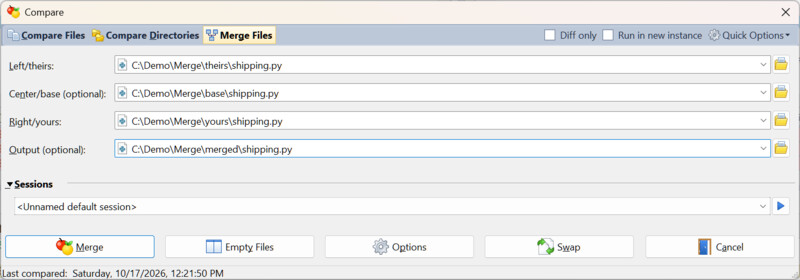
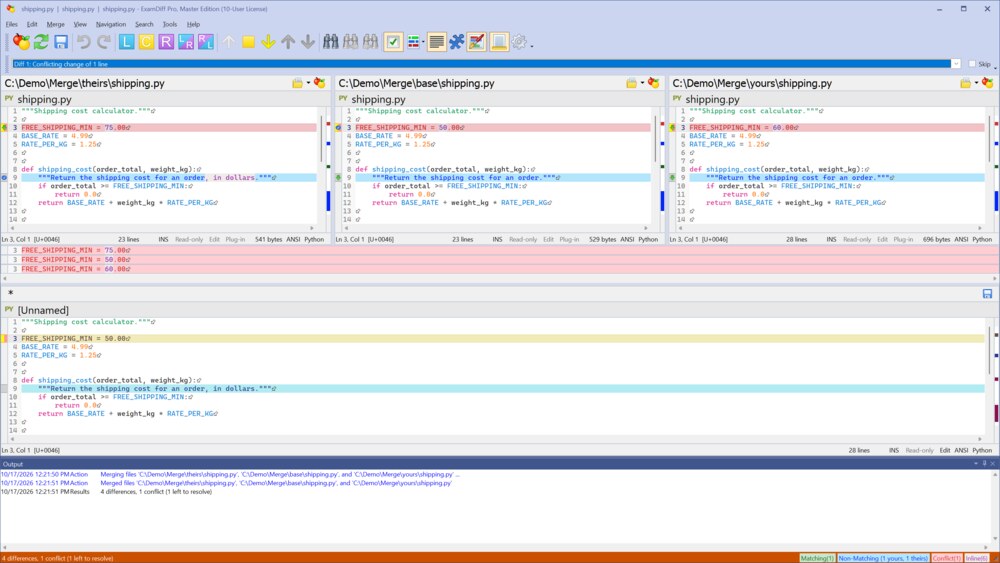
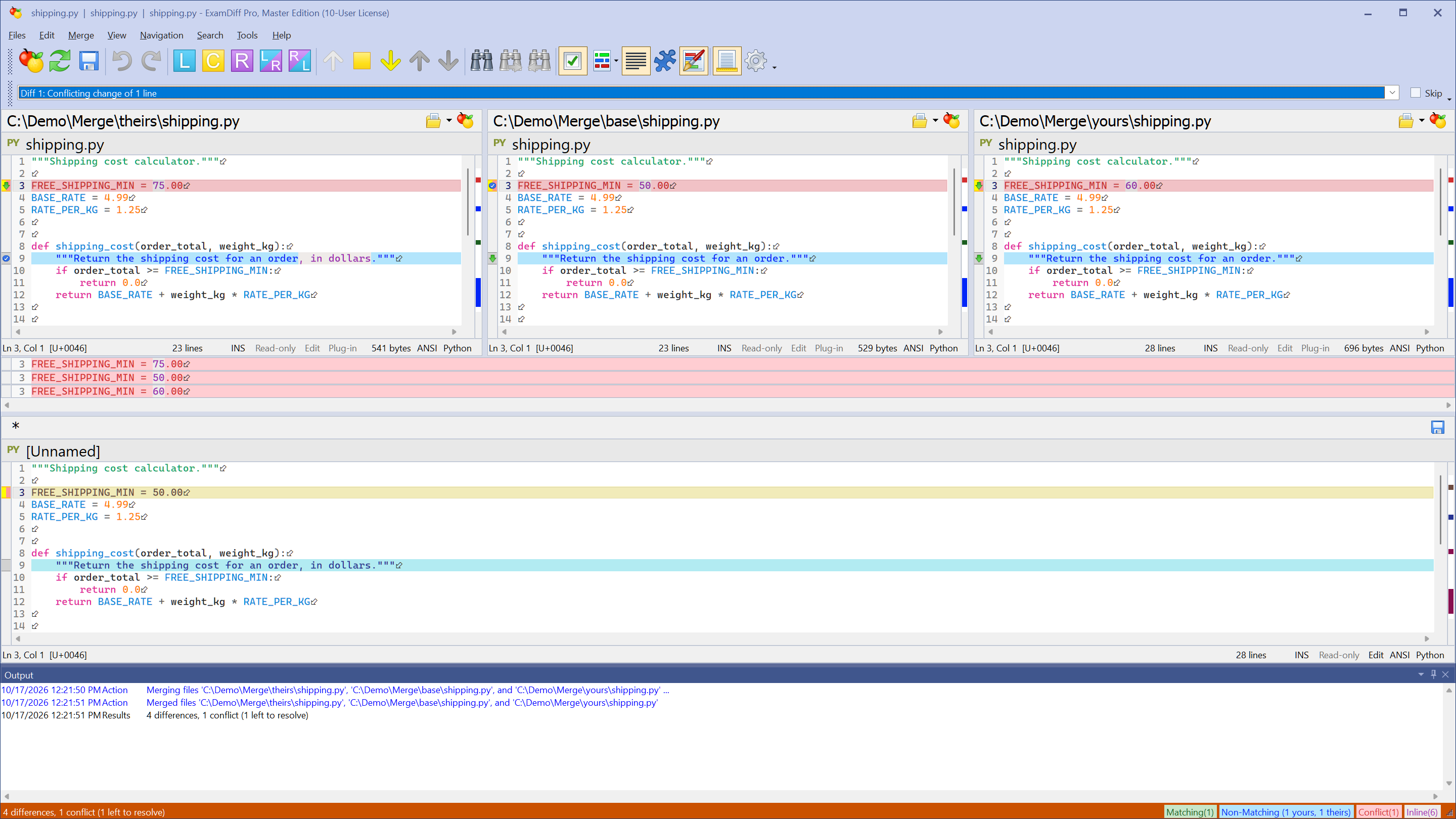
- Click Merge. The three versions appear side by side, with the merge result in the pane below. ExamDiff Pro merges these changes automatically:
- a change made in only one version (a Non-Matching block) is taken from that version
- the same change made in both versions (a Matching block) is taken once
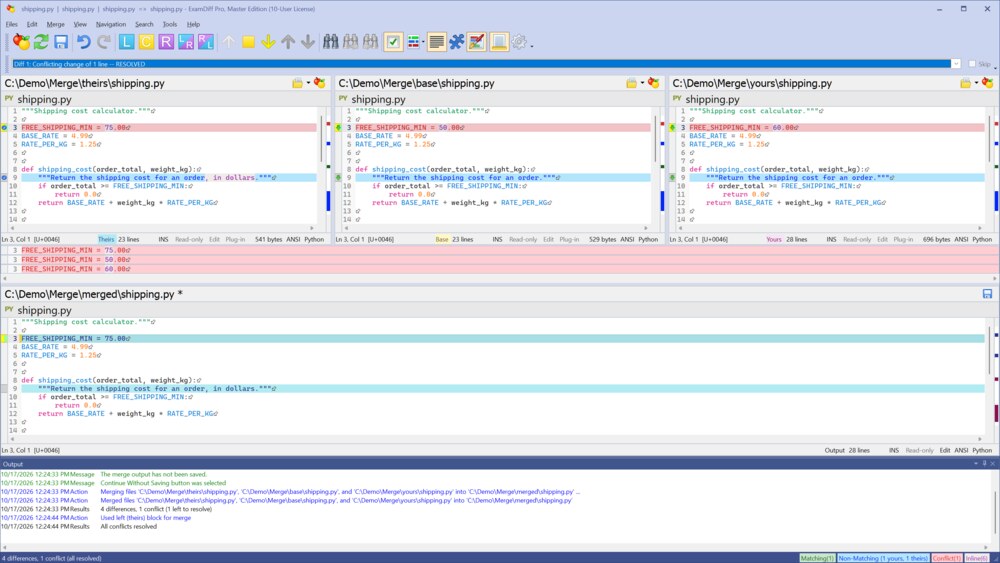
- Where both versions changed the same lines in different ways, the block is a Conflict, marked red. Until you resolve it, the merge result keeps the base version of those lines. Choose Navigation | Next Unresolved Conflict to go to it.
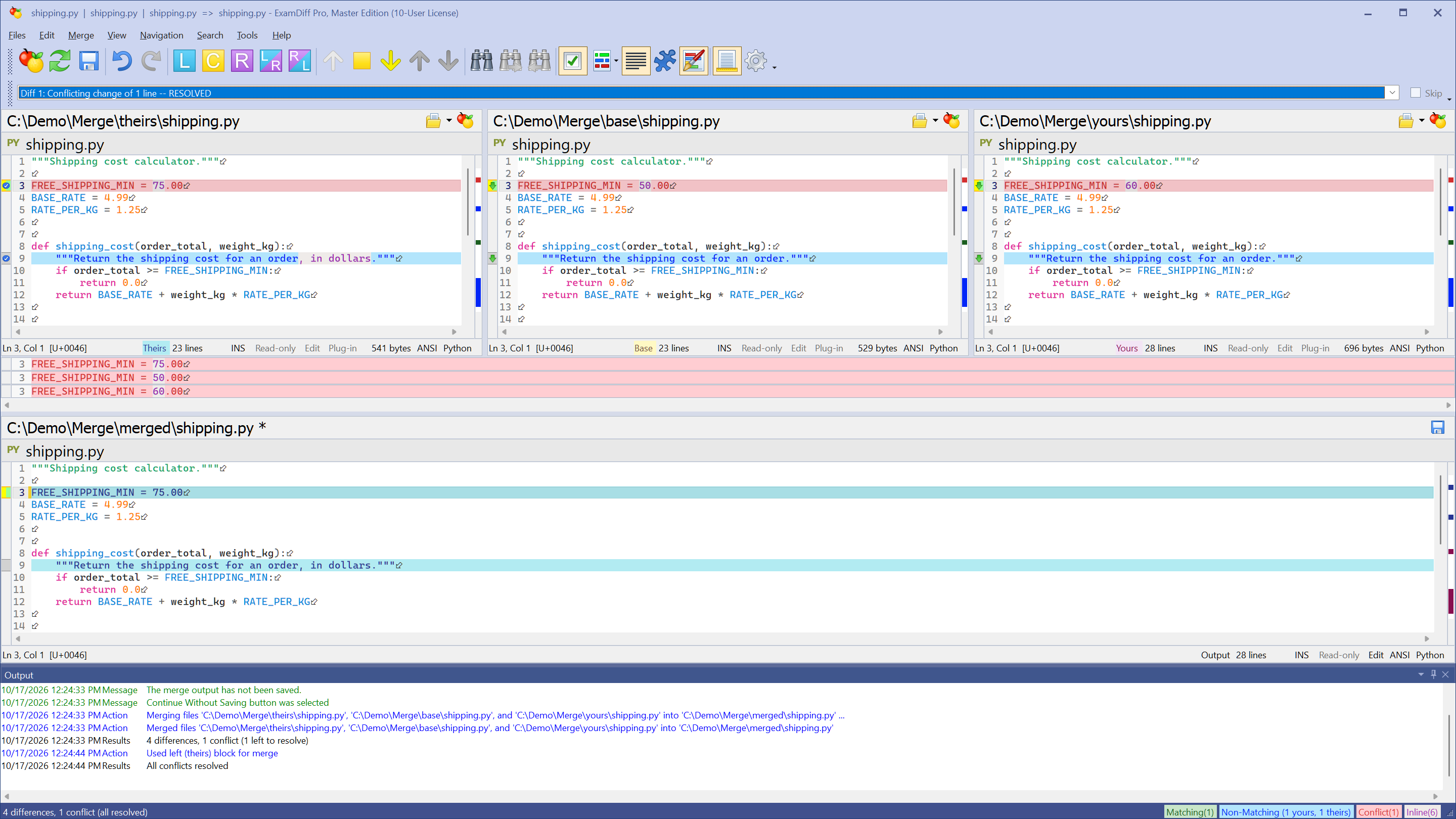
- Pick the version to keep with Merge | Use Left, Use Center, or Use Right, or click the diamond button on that pane's diff bar. Use Left, Then Right and Use Right, Then Left keep both changes, one after the other. A resolved conflict turns green. The same commands also override any automatic choice. If none of the versions is right, type the text you want directly in the merge pane: in the video, the chosen 75.00 is changed to 70.00.
- Choose Files | Save Merge Results (Ctrl+S) to save the result to the output file.
Questions
Which edition do I need?
Three-way merge is part of the Master edition of ExamDiff Pro. The free 30-day trial includes it.
Can I use ExamDiff Pro to resolve Git merge conflicts?
Yes. Git has built-in support for ExamDiff Pro as its merge tool; see How to Use ExamDiff Pro with Git.
What if I don't have a base file?
Leave Center/base empty for a two-way merge: the two files are merged into the output, and you choose a version for every difference. To change one of the files directly instead, see How to Copy Changes Between Two Files.
Where can I read more?
See Three-Way Diff and Merge in the online help.