

Compare and merge files and folders with ExamDiff Pro
ExamDiff Pro
Visual File And Directory Comparison Tool
 Perform code reviews and share diff reports with your colleagues
Compare a local folder to its remote counterpart
Visualize your code structure through syntax highlighting
Compare Word, Excel, and PDF documents using built-in plug-ins
Create directory snapshots for future comparison and archiving
Compare from Windows Explorer using the built-in Shell extension
Accurately compare executable files with binary comparison
Synchronize files and folders between your PC and external media
Quickly undo mistakes by comparing files with previous versions
Perform 2-way and 3-way diff and merge (Master Edition only)
Perform code reviews and share diff reports with your colleagues
Compare a local folder to its remote counterpart
Visualize your code structure through syntax highlighting
Compare Word, Excel, and PDF documents using built-in plug-ins
Create directory snapshots for future comparison and archiving
Compare from Windows Explorer using the built-in Shell extension
Accurately compare executable files with binary comparison
Synchronize files and folders between your PC and external media
Quickly undo mistakes by comparing files with previous versions
Perform 2-way and 3-way diff and merge (Master Edition only)
 What is ExamDiff Pro?
ExamDiff Pro is a powerful and easy-to-use file and directory comparison tool for Windows. It includes numerous helpful features for comparing and merging many kinds of files and folders – from source code to Office documents to Zip archives to files on remote computers. If you've been frustrated with other comparison utilities, you will find that ExamDiff Pro offers a much more user-friendly and customizable experience.
NEW
Latest stable release build:
16.0.1.4, June 13, 2025
Top Features

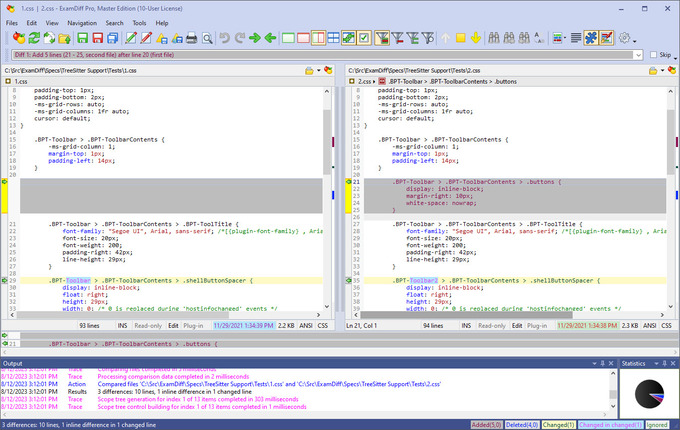
Compare text files, binary files, and directories
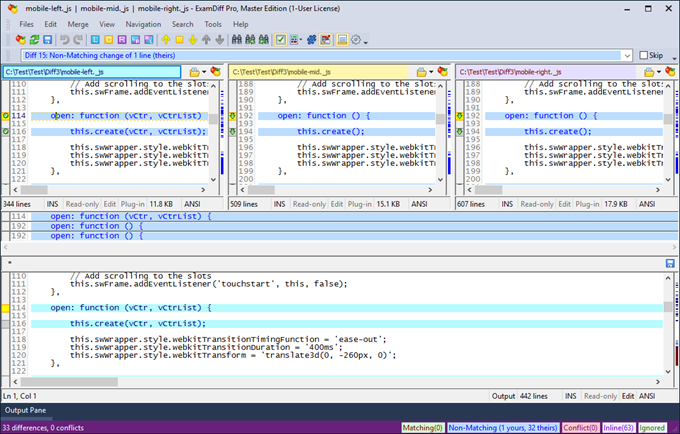
Perform two-way and three-way diff and merge
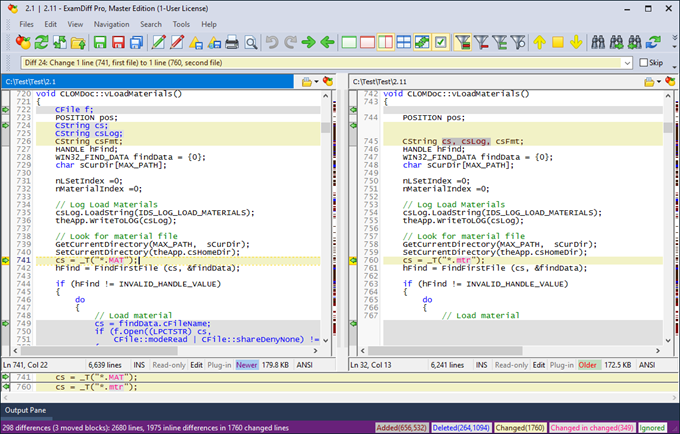
Highlight document syntax
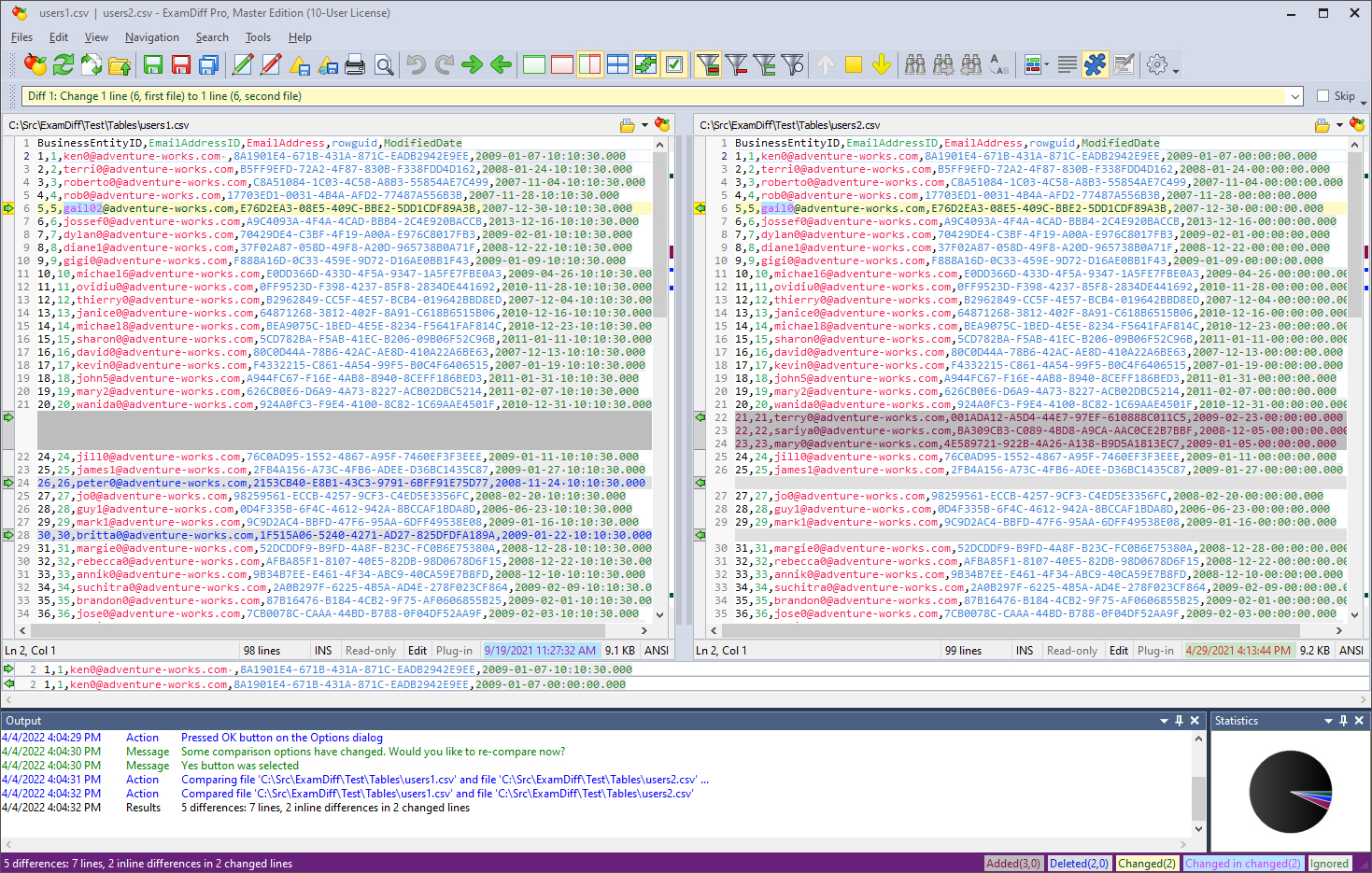
Compare tables
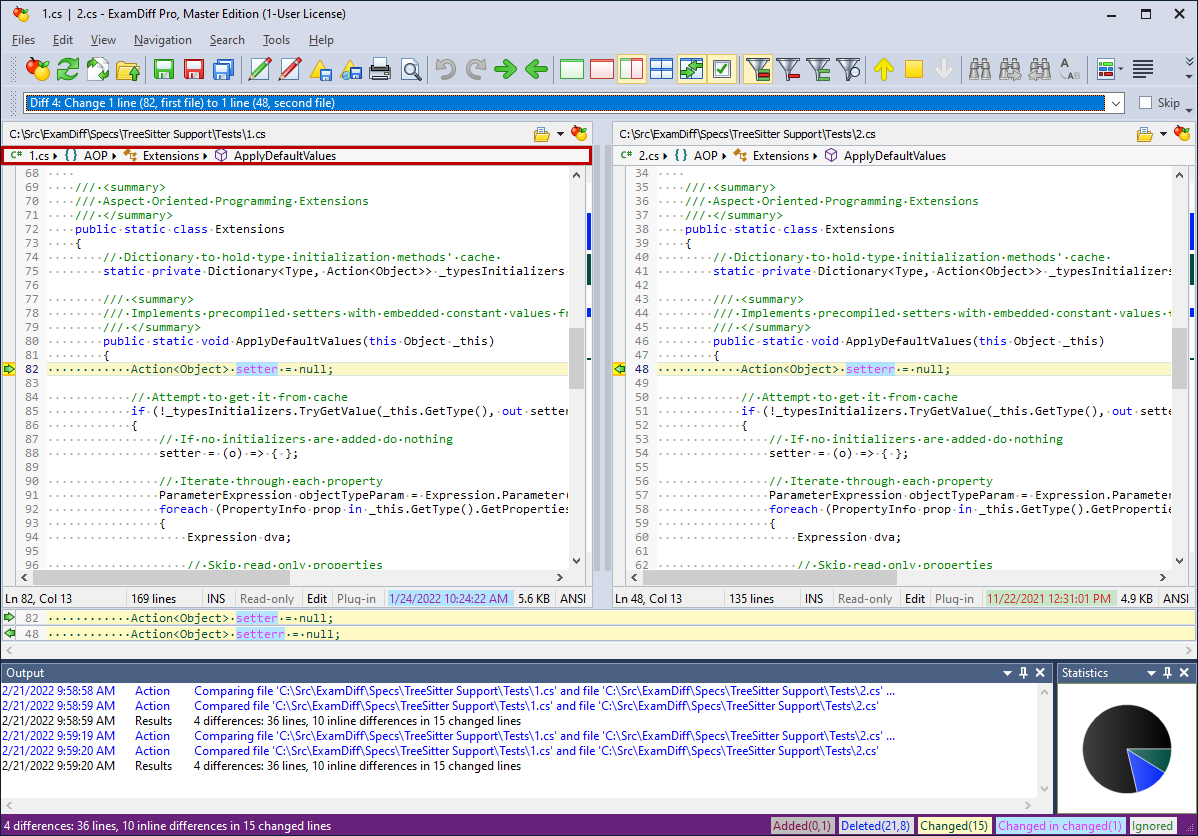
Navigate through classes, functions, and other code blocks, via scope bar
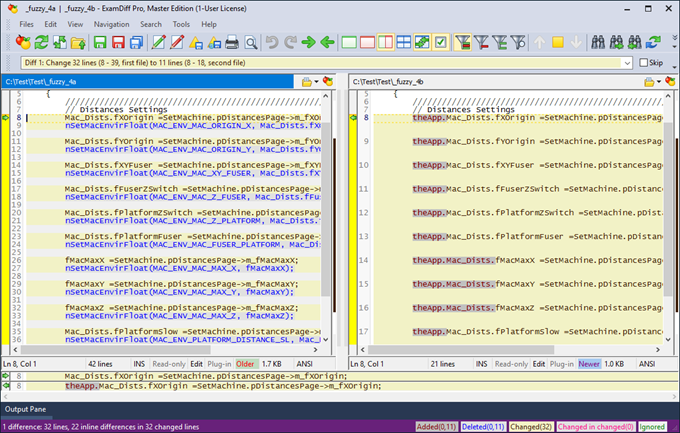
Fuzzy line matching
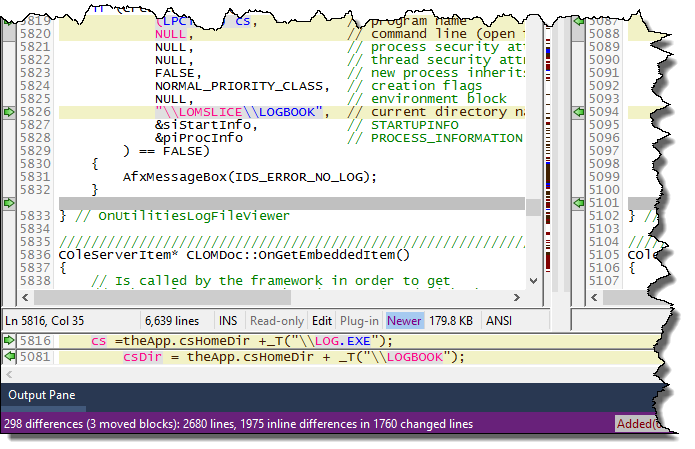
Line Inspector panel for easy recognition of differences within lines
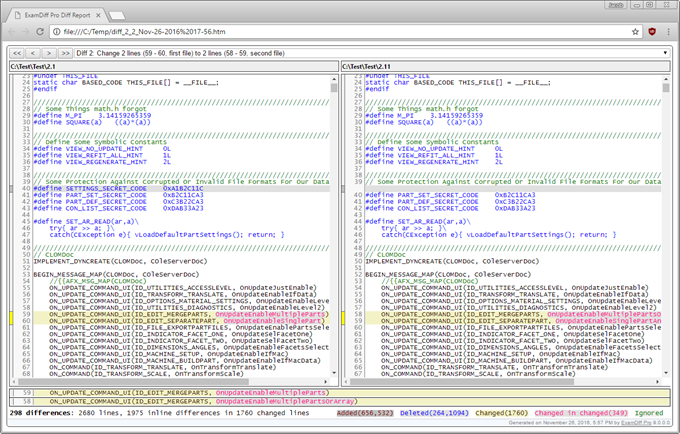
Save the file differences to a dynamic HTML web page. Print and print preview diff reports
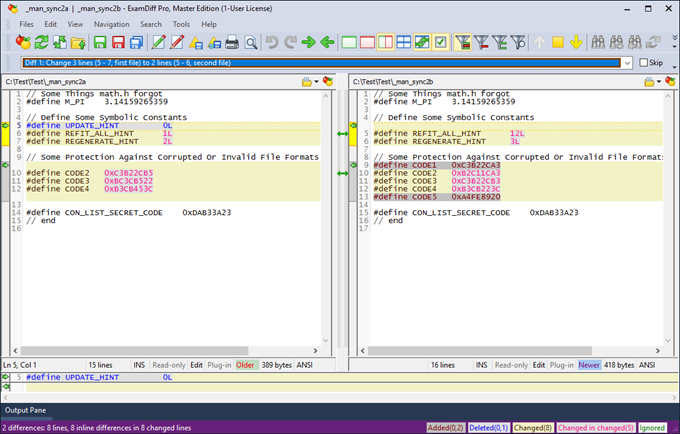
Add manual synchronization points to text file comparison
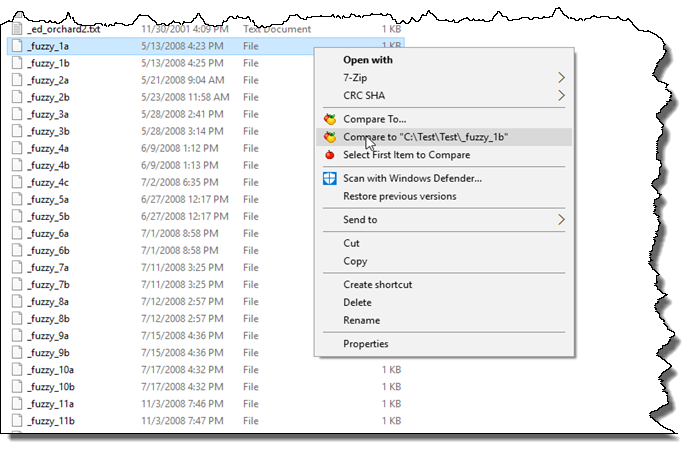
Compare directly from Windows Explorer
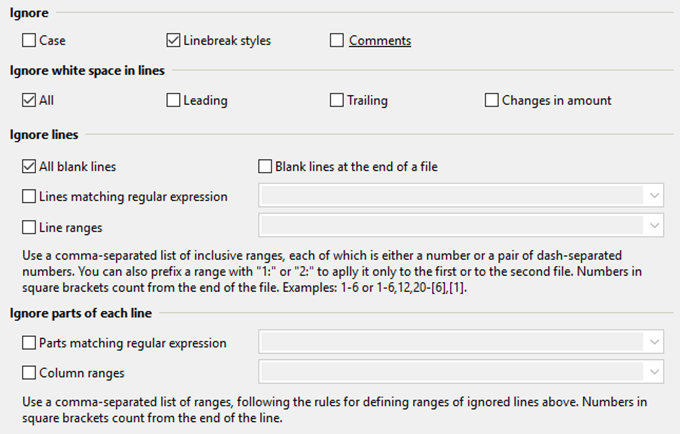
Advanced Ignore options
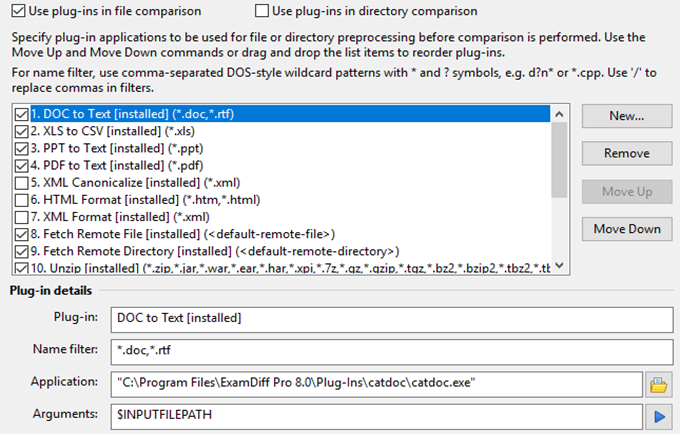
Plug-in support
Our Clients


Testimonials

Benefits
Perform code reviews and share diff reports with your colleagues
Compare a local folder to the one on FTP server using built-in plug-ins
Visualize your code structure through syntax highlighting
Compare Word, Excel, and PDF documents using built-in plug-ins
Create directory snapshots for future comparison and archiving
Compare from Windows Explorer using the built-in Shell extension
Accurately compare executable files with binary comparison
Synchronize files and folders between your PC and external media
Quickly undo mistakes by comparing files with previous versions
Merge different file versions using two- and three-way diff and merge
Additional Benefits
For developers
- Track changes in files and folders
- Perform code reviews
- Easily merge different versions of files using two- and three-way diff and merge.
- Share HTML and printed difference reports with your colleagues
- Compare a local website to an FTP server (using the FTP plug-in)
- Ignore programming language comments to focus only on the most important aspects of your source code
- Visualize different aspects of code through syntax highlighting
- Compare executable files (DLLs, EXEs, etc.) using built-in binary comparison
For regular computer users
- Quickly navigate through differences
- Synchronize files and directories between your PC and external media
- Create directory snapshots for future comparison and archiving
- Quickly find and undo mistakes by comparing files with previous versions
- Easily drag and drop files and directories
- Compare from Windows Explorer using the built-in Shell extension
For testers
- Validate test results by comparing them with a baseline
- Save test comparison results into reports
For writers
- Edit your documents within the comparison window using the built-in text editor
- Use synchronized word wrap to compare document paragraphs
- Compare Word, Excel, and PDF documents using plug-ins
Copyright © 1997-2025 PrestoSoft LLC. All rights reserved.