

ExamDiff Pro Screenshots
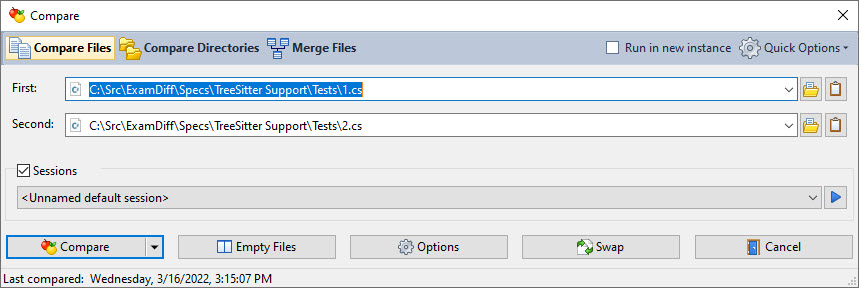
The Compare dialog lets you quickly and easily choose the files, directories, or clipboard contents to compare.
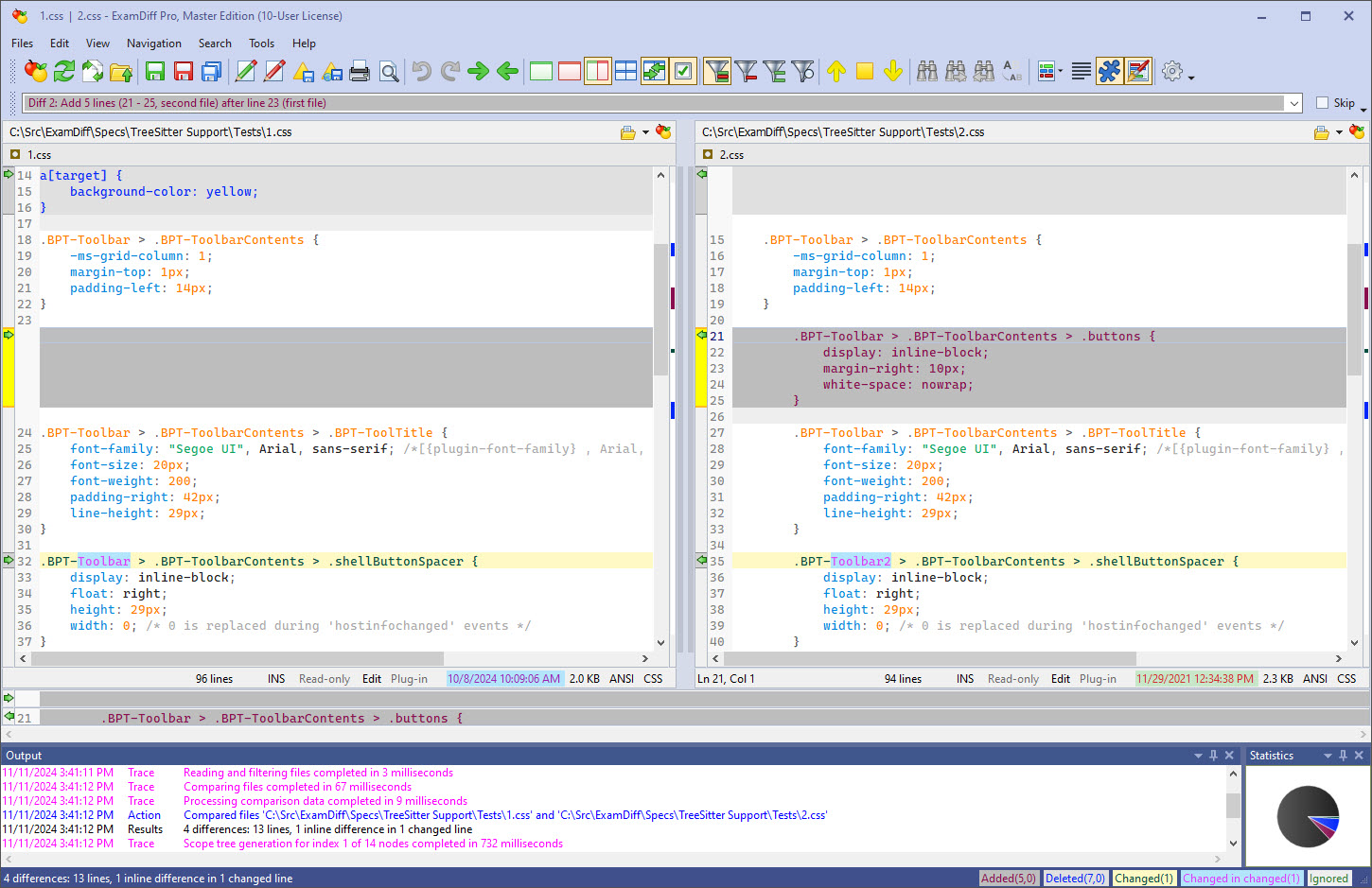
This is the file comparison window of ExamDiff Pro.
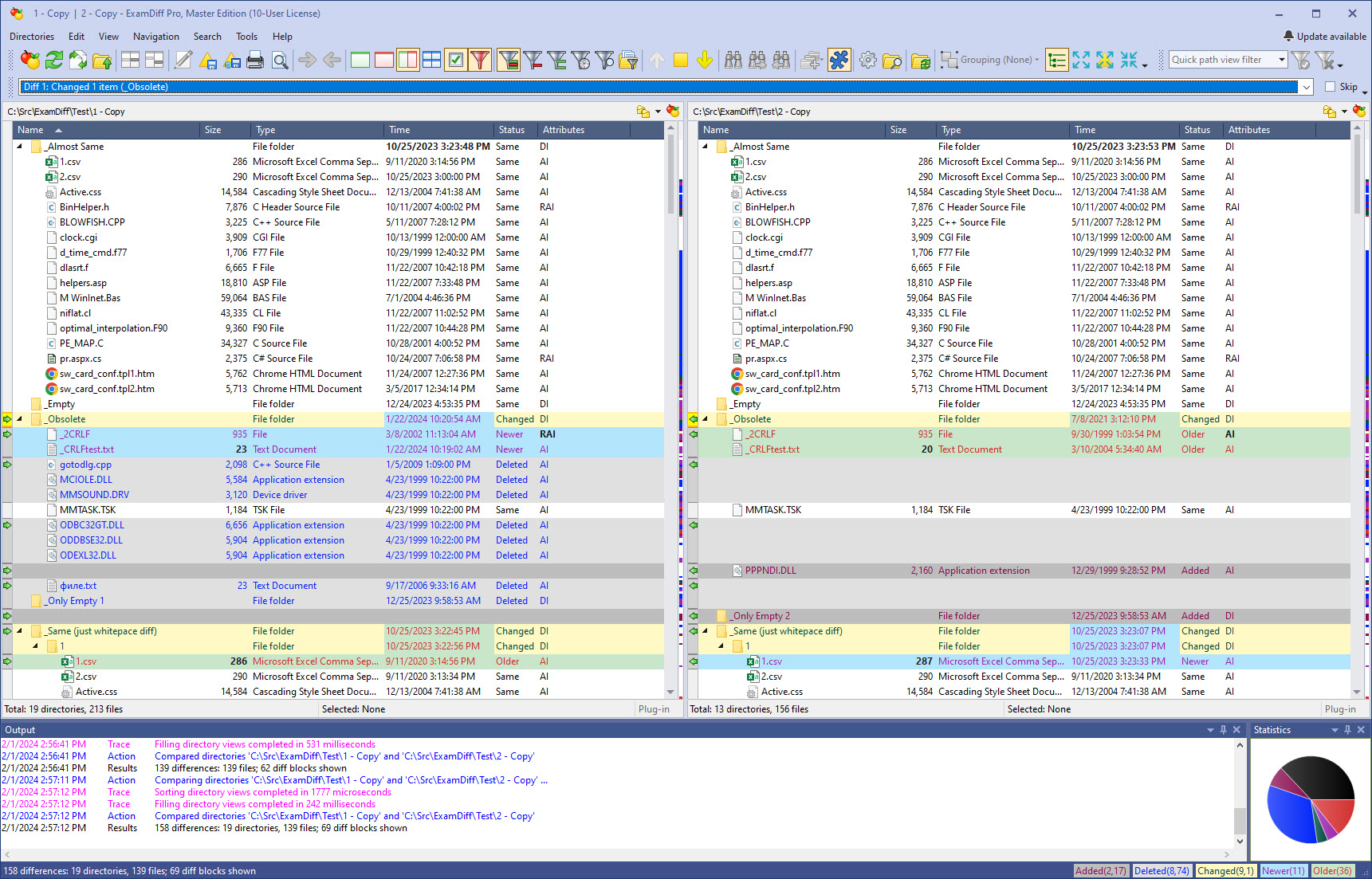
This is the directory comparison window of ExamDiff Pro in tree mode.
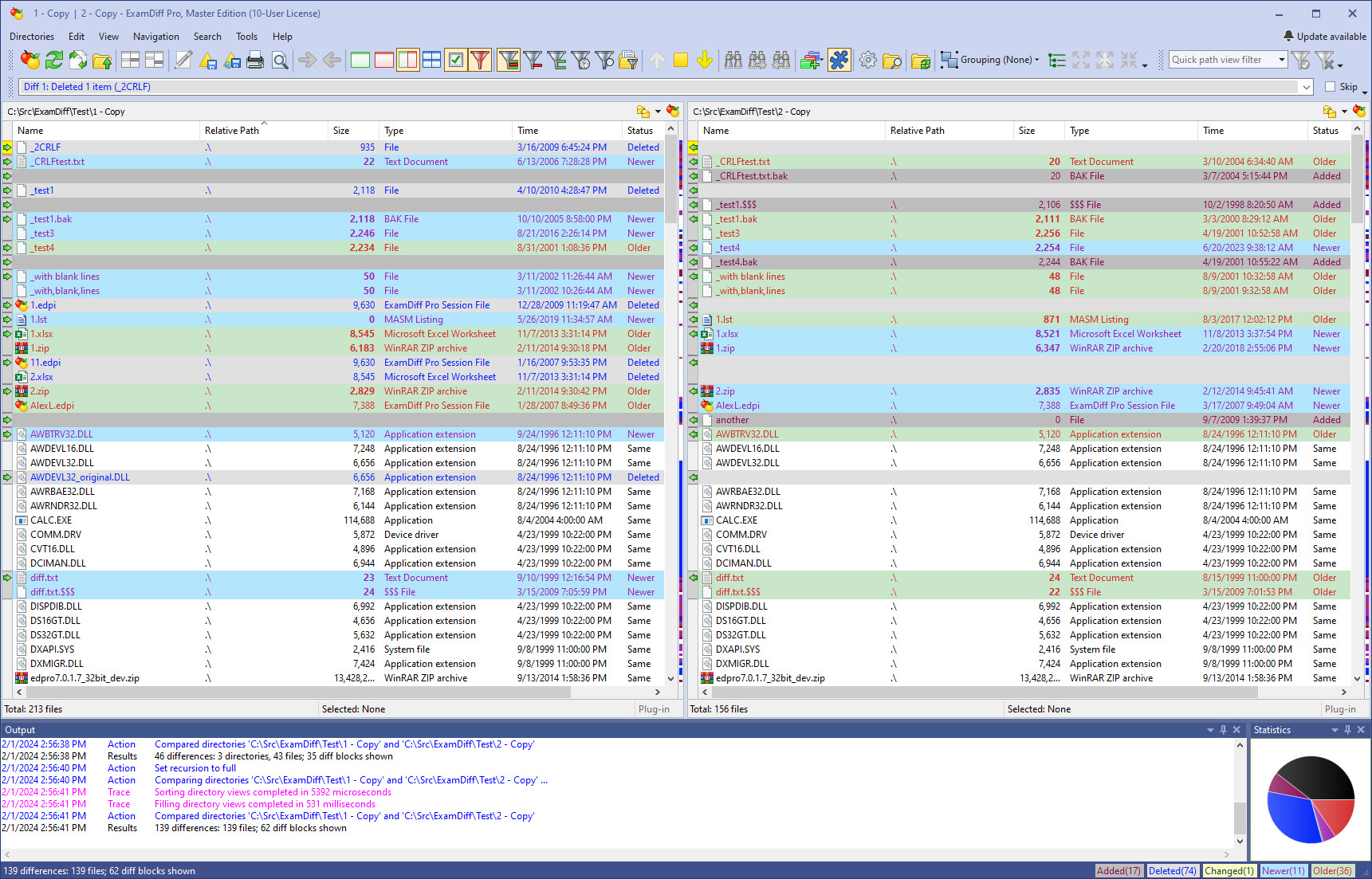
This is the directory comparison window of ExamDiff Pro in flat mode.
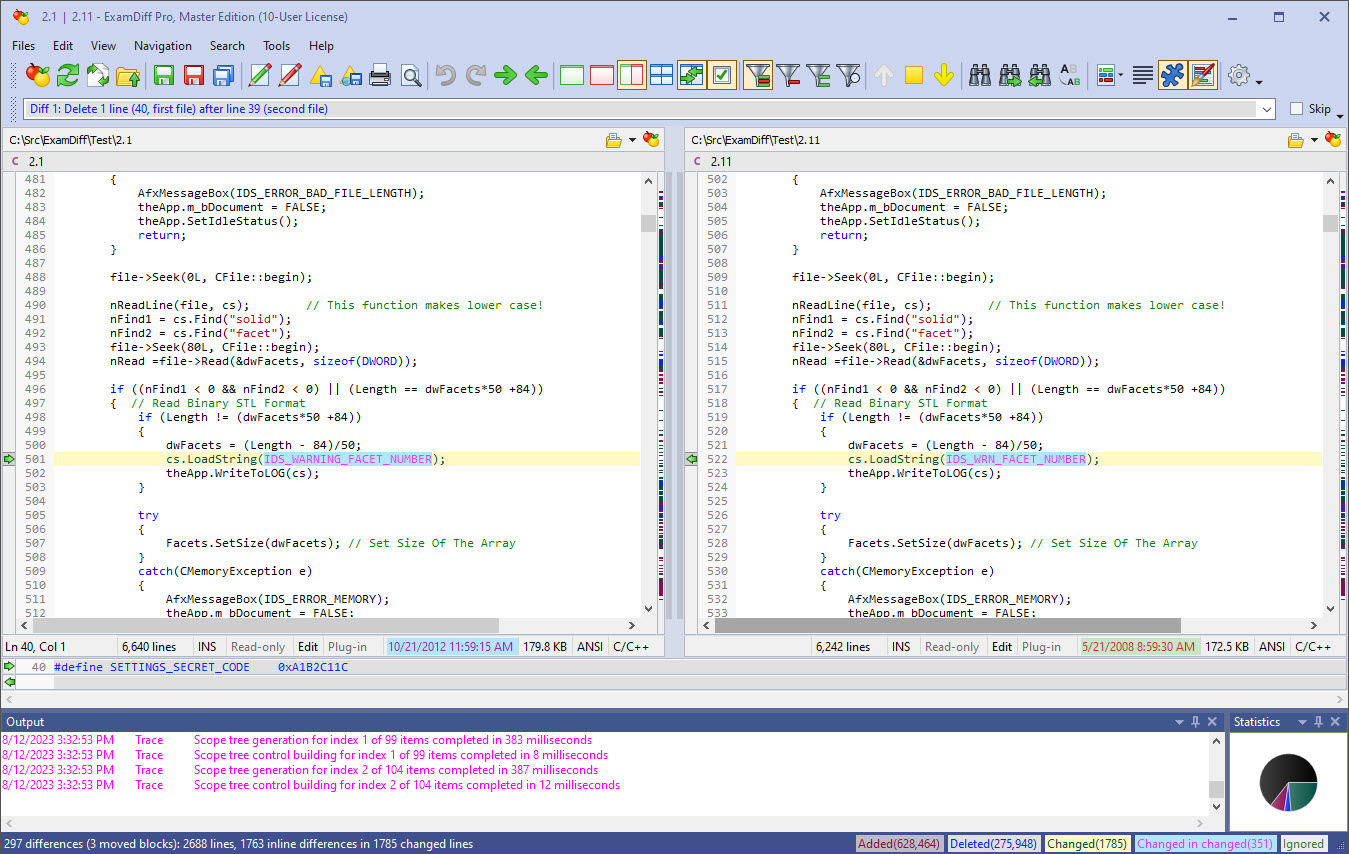
If you're a programmer or web developer comparing source files, syntax highlighting makes it easy to identify different aspects of code.
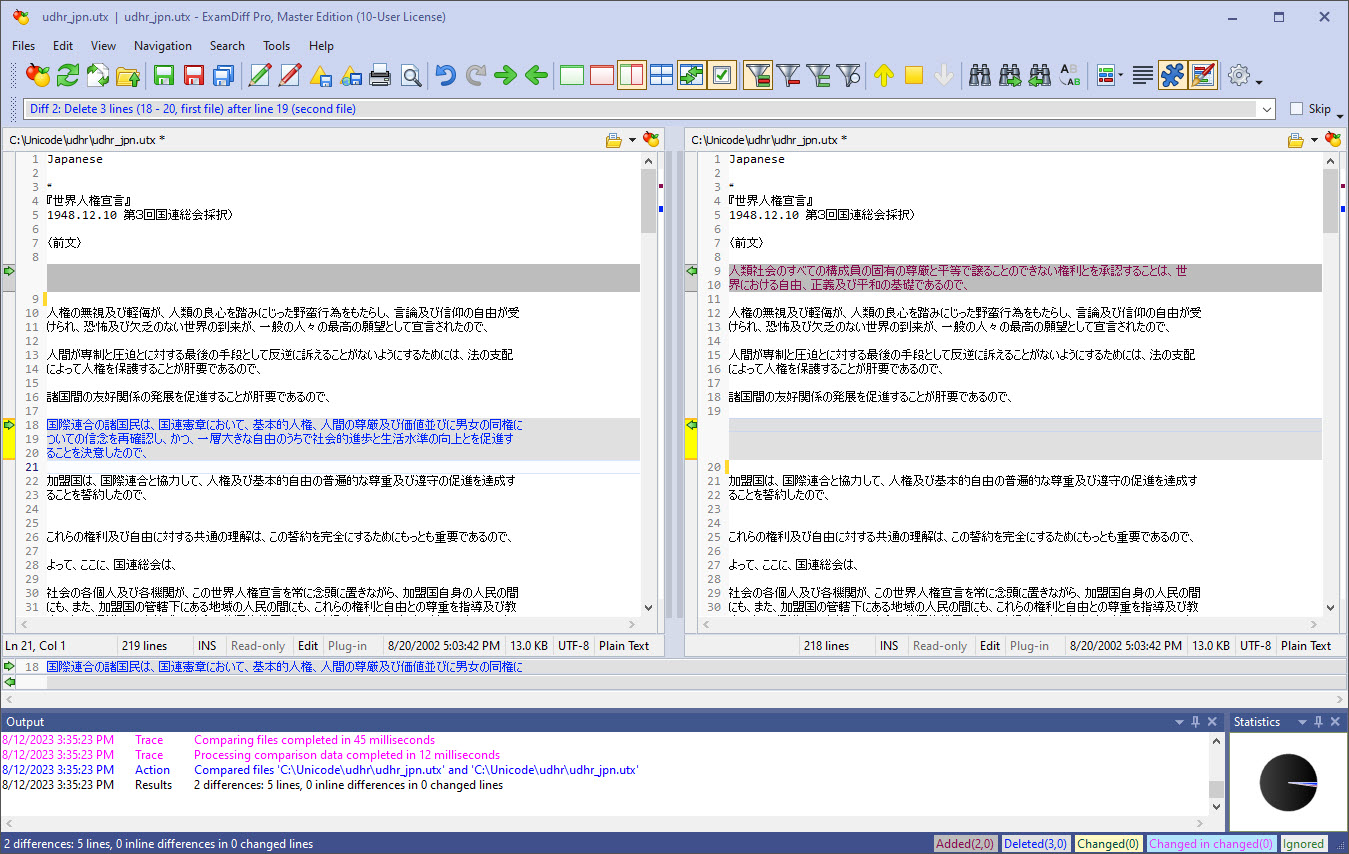
ExamDiff Pro has full Unicode support, and can properly compare files in a variety of different languages.
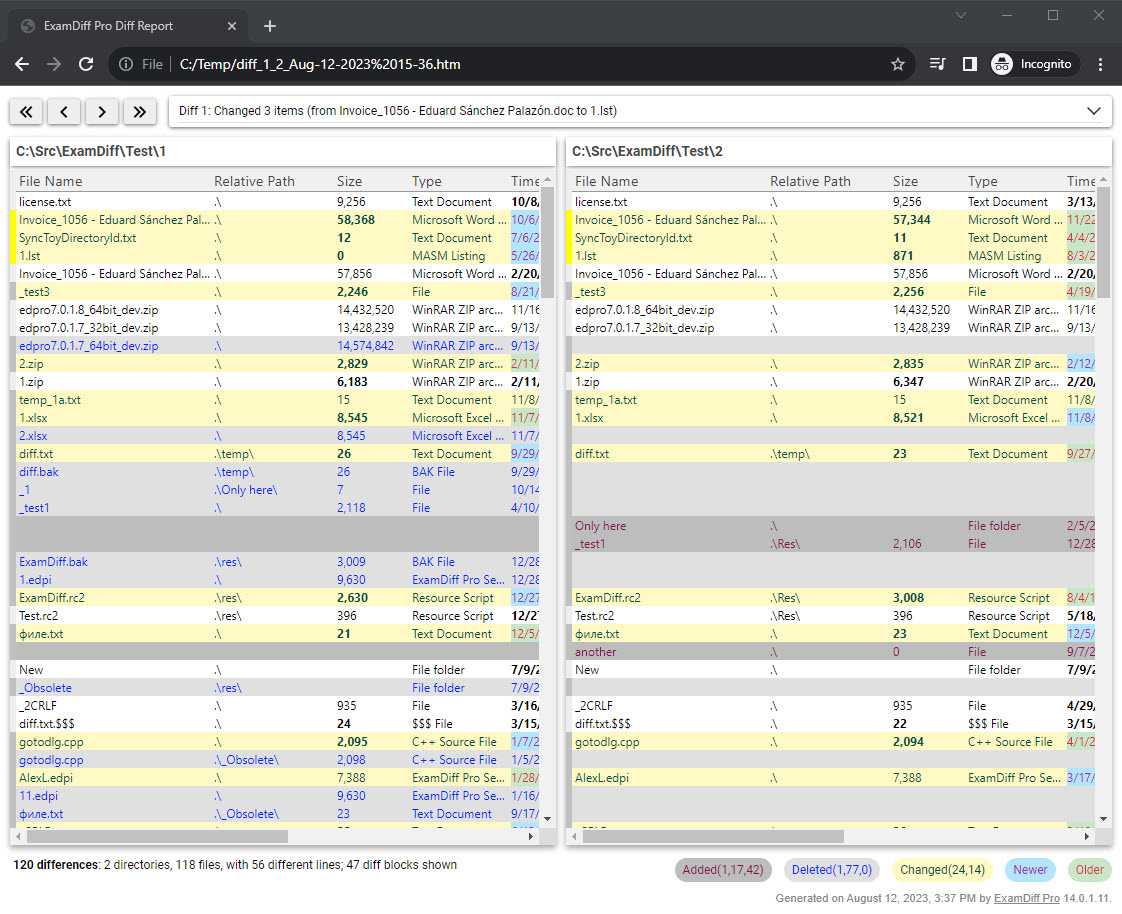
Quickly share diff reports with your colleagues by using ExamDiff Pro's HTML diff report export features. You can even add basic navigation controls!
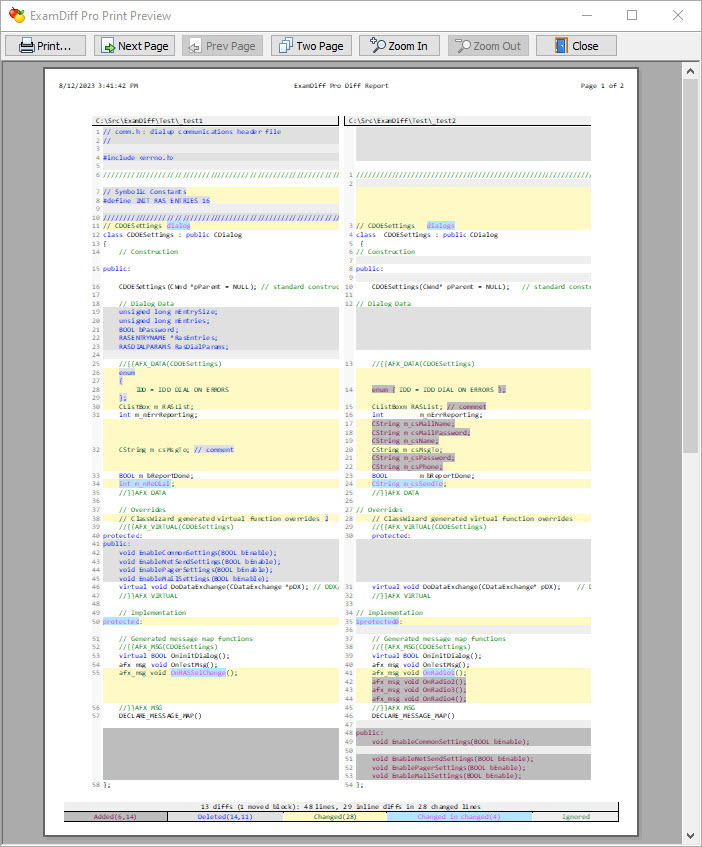
If you prefer paper diff reports, not to worry - ExamDiff Pro lets you print and print preview diff reports as well.
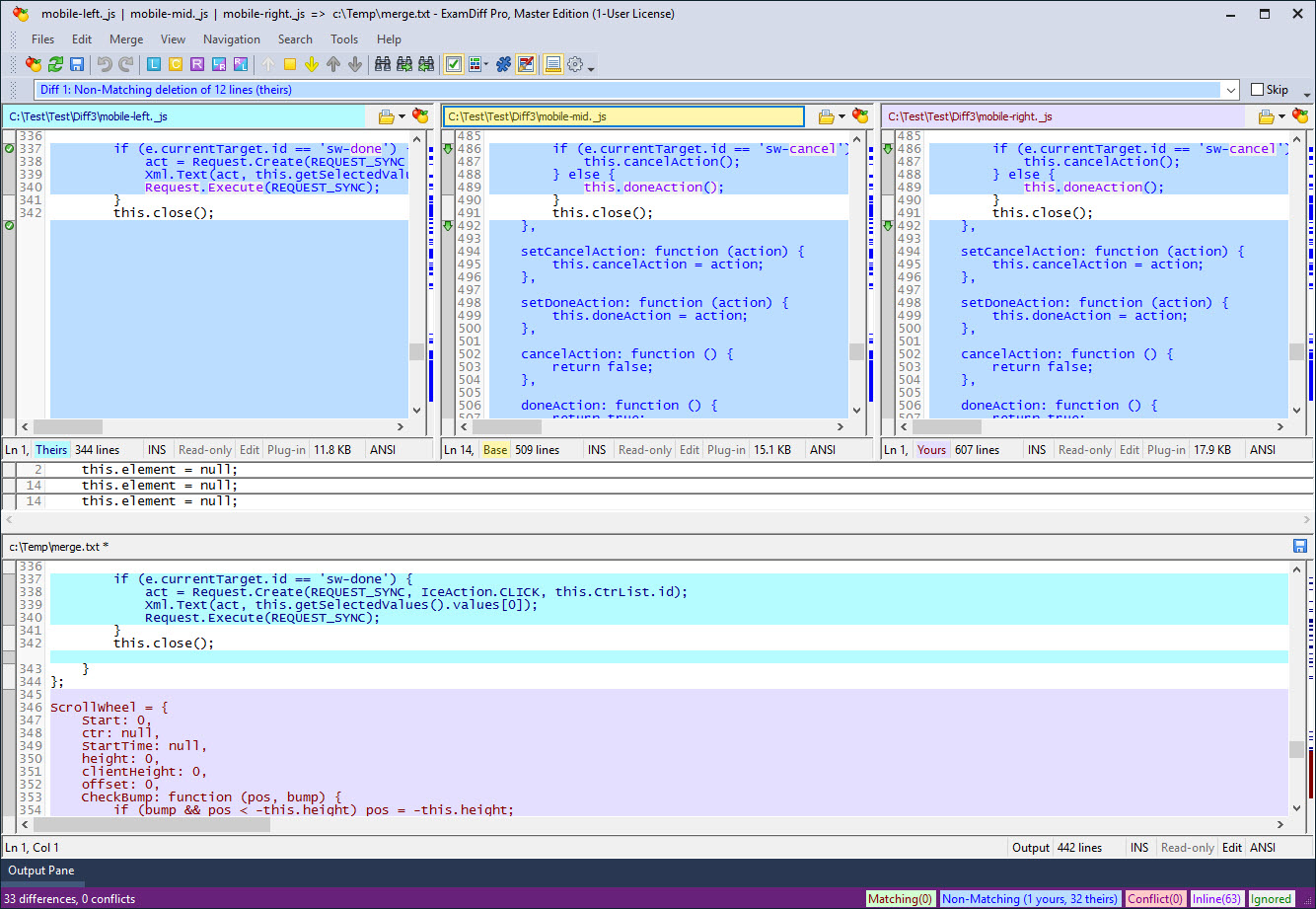
In three-way diff and merge, three files are compared - a base file and two revision files ('yours' and 'theirs') that are both modifications of the base - and the goal is to reconcile the changes made in the revision files into an output file..
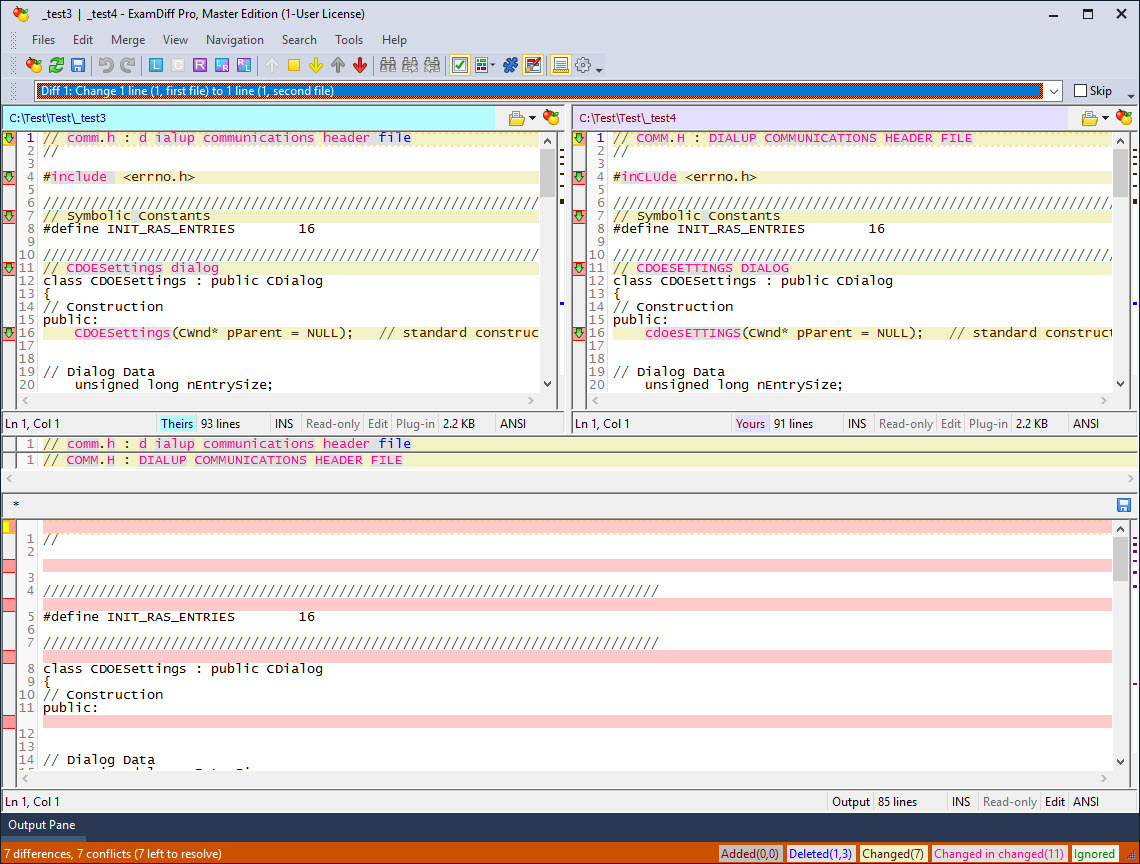
Two-way merge is useful for reconciling changes in a version control system that doesn't provide the base file, or when you need to reconcile the differences between two separate files..
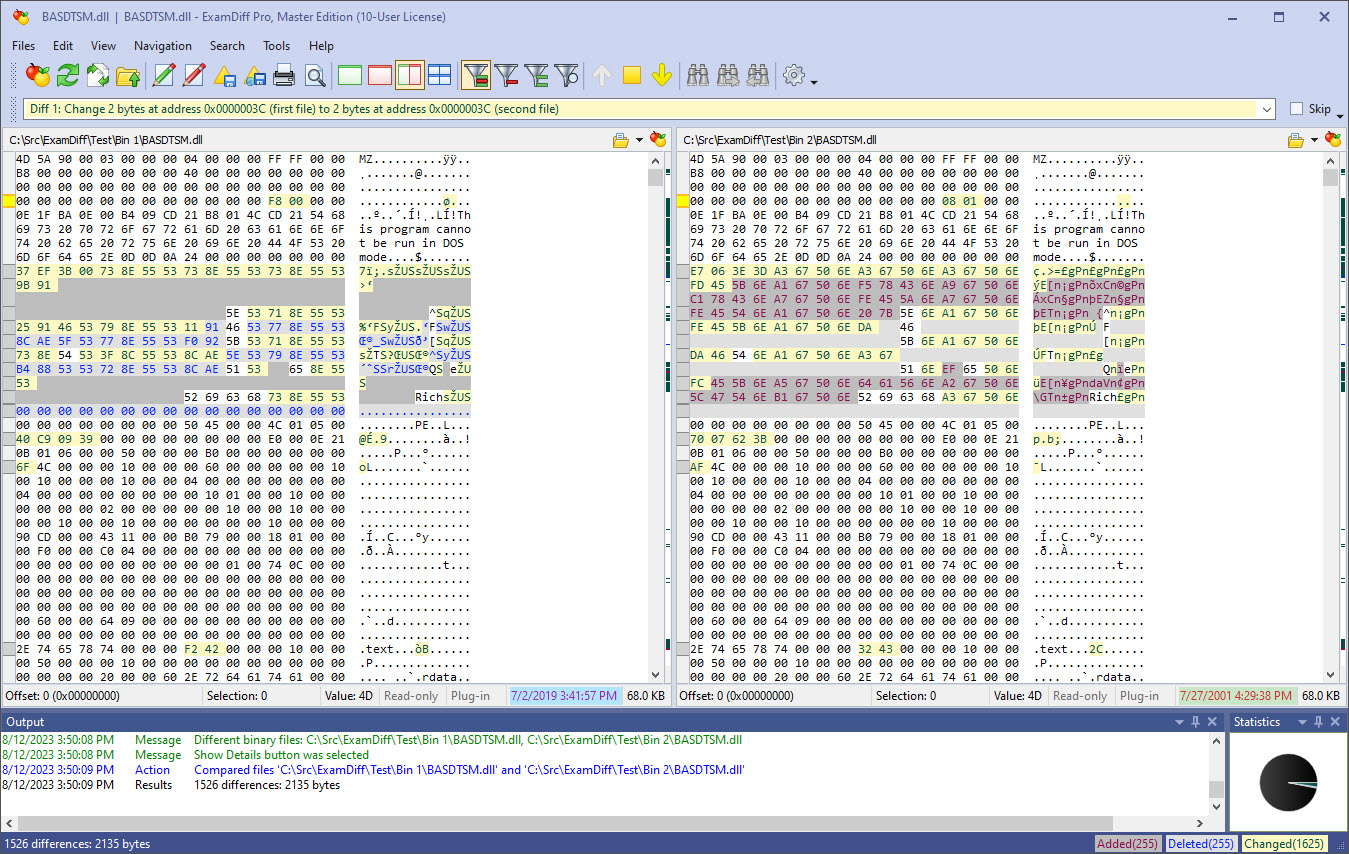
ExamDiff Pro fully supports binary file comparison. This is an example of what the comparison window looks like for binary files.
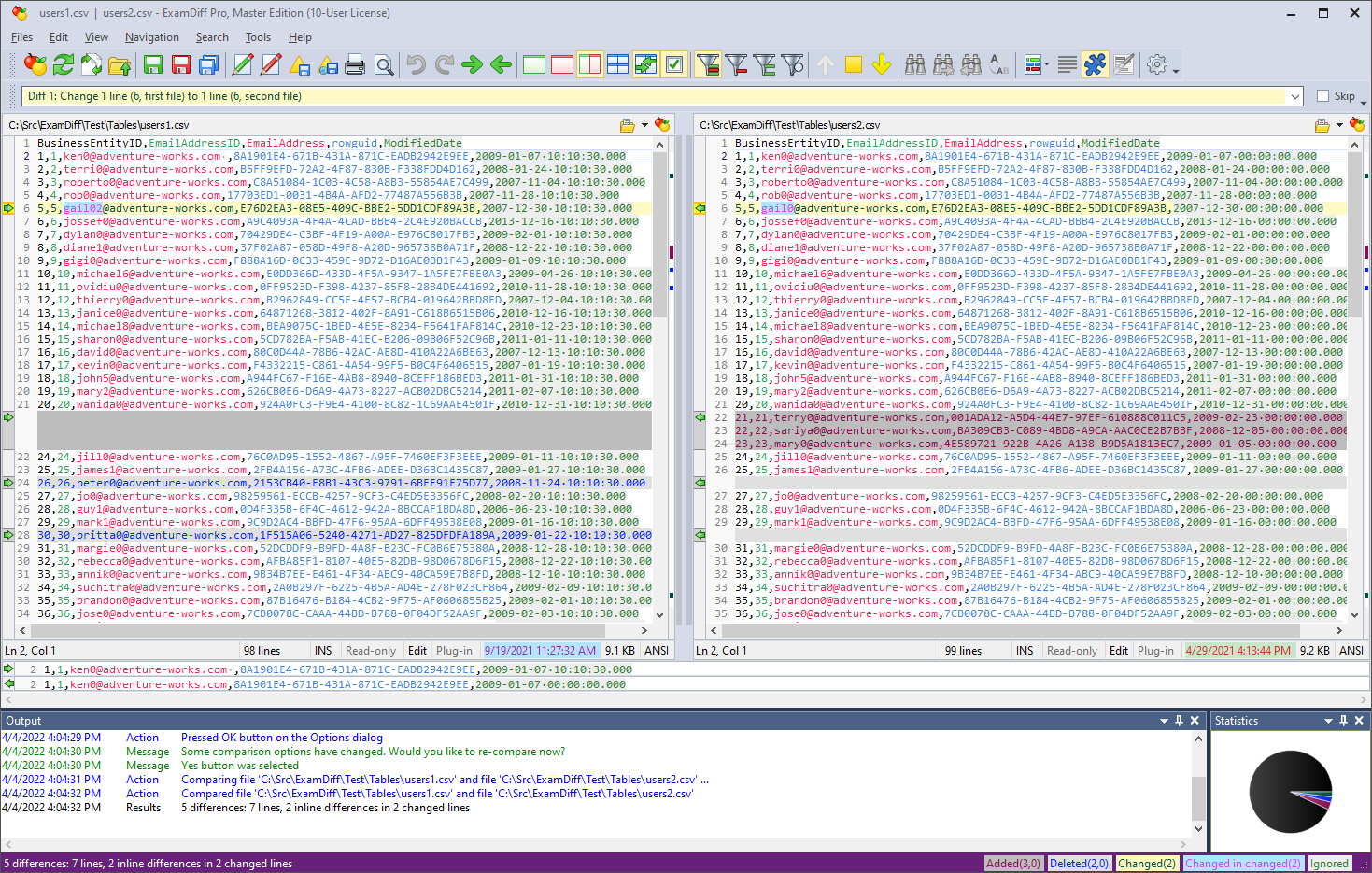
Table Comparison mode provides built-in functionality to sort and ignore columns and the ability to differentiate columns by color to better view tabular data.
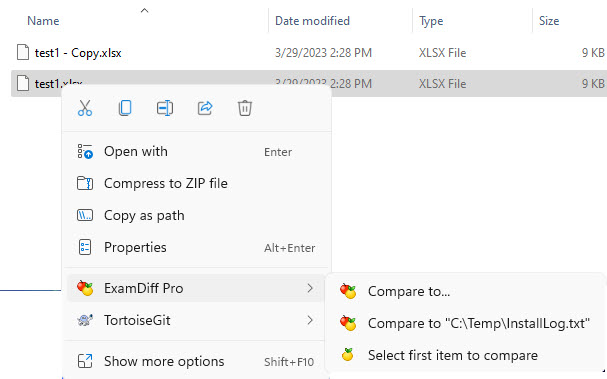
You can enable ExamDiff Pro's Shell integration, so that the options shown appear in the context menu in Windows Explorer.
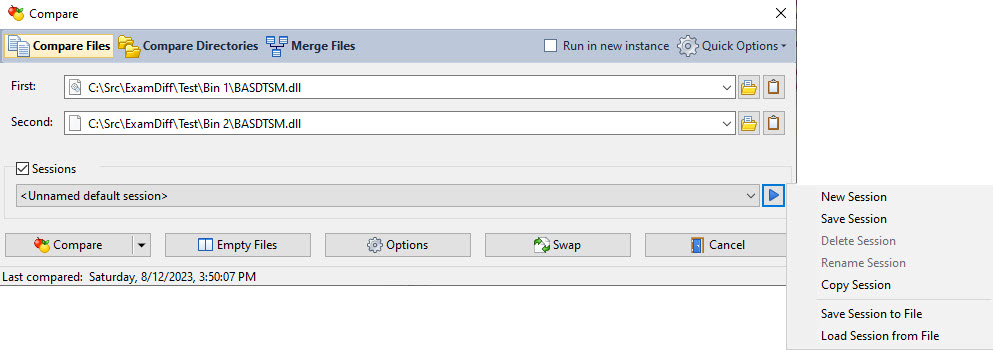
You can expand the Compare dialog to show ExamDiff Pro's sessions menu.
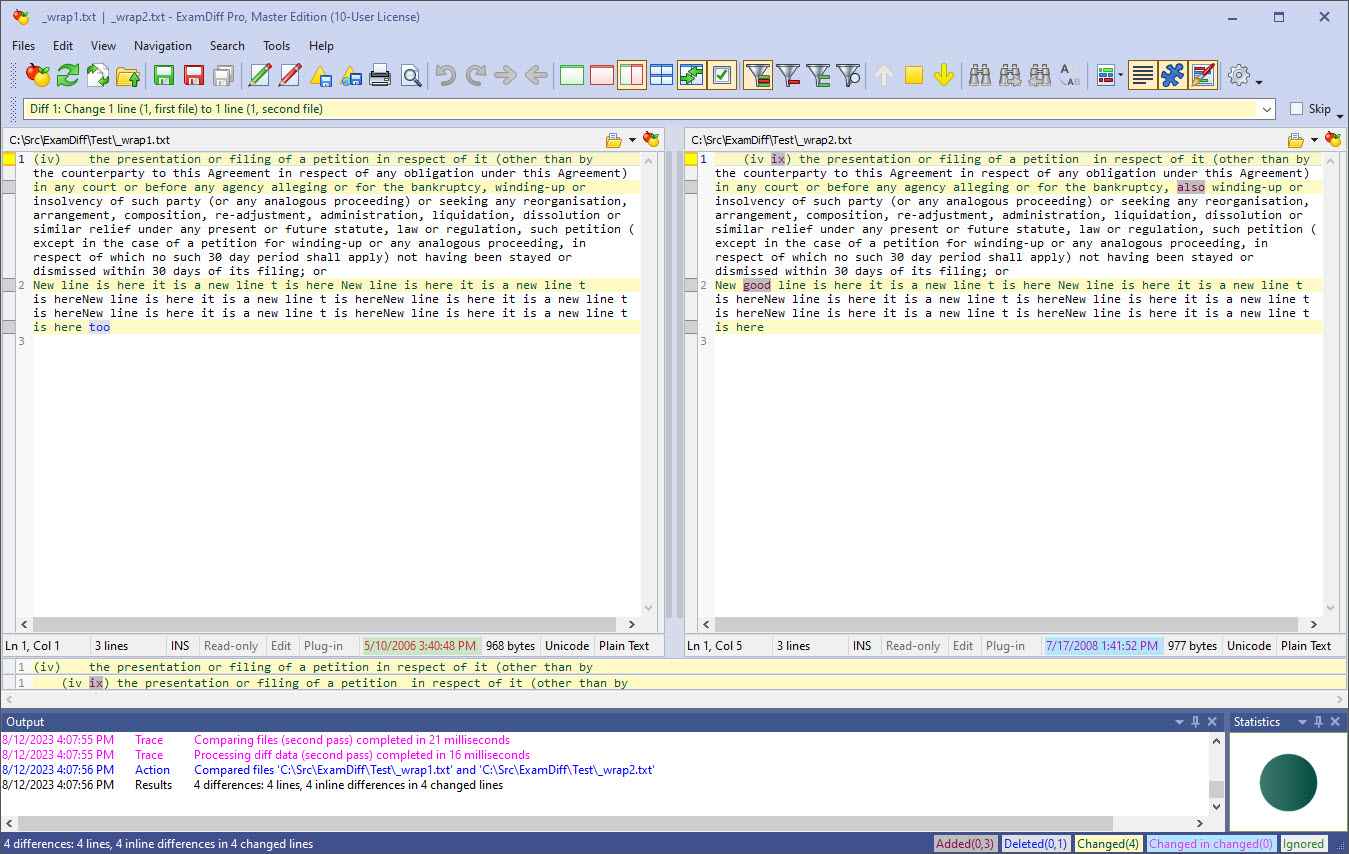
If the files you compare have lines too long to fit in the window, you can enable Word Wrapping to quickly see the complete lines.
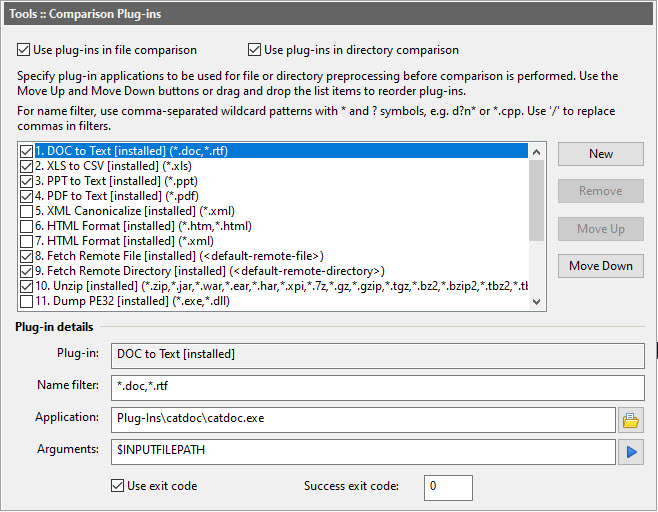
ExamDiff Pro has robust support for plug-ins, and this window shows the parameters you can assign to plug-ins. See our plug-in database for example plug-ins that can do everything from comparing ZIP files to fetching files and directories from remote servers.
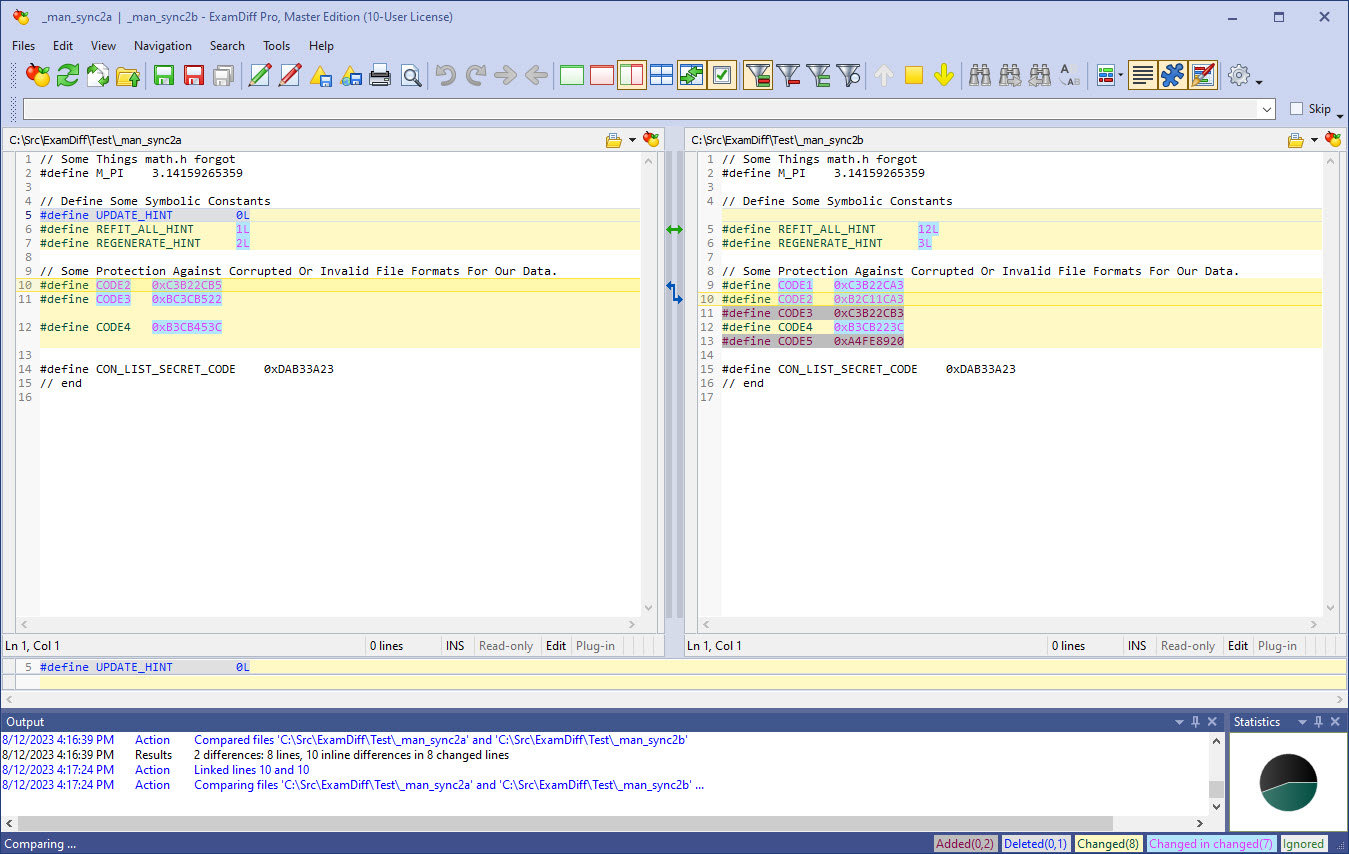
No comparison algorithm is perfect, but ExamDiff Pro lets you use manual synchronization to link lines together yourself if the need arises.
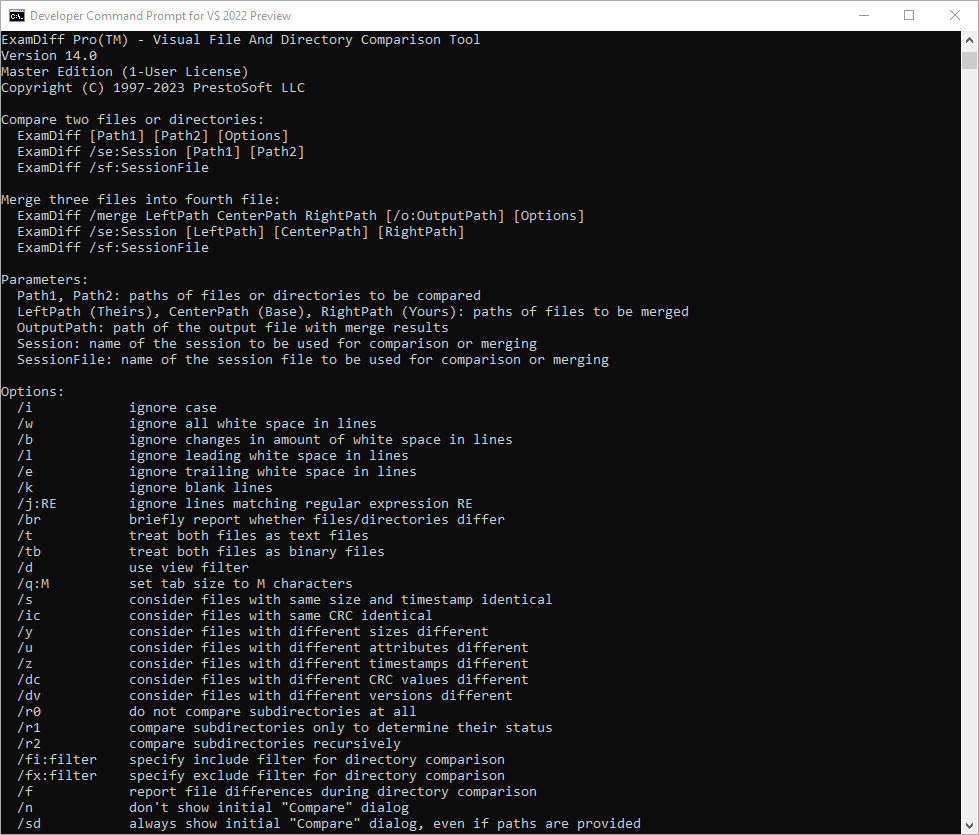
ExamDiff Pro can be run from the command line, and this screenshot shows some of ExamDiff Pro's command line options.
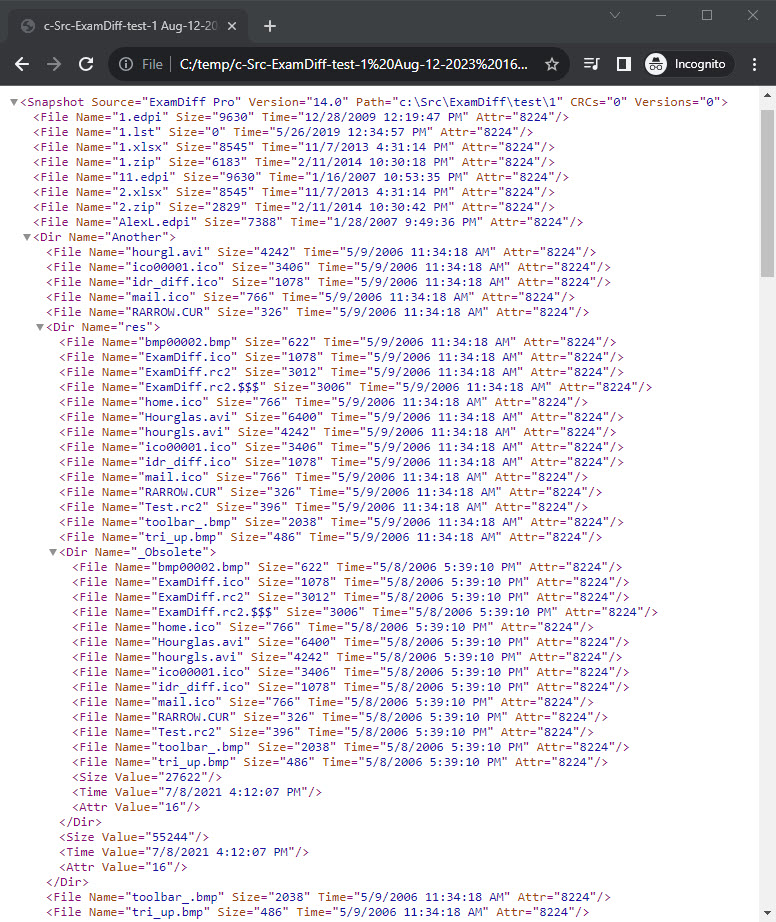
If you don't want to compare the same large directories multiple times, you can create directory snapshots from within ExamDiff Pro: XML schematic files that can be compared as though they were directories. This screenshot shows how a directory snapshot file is organized.
Text Comparison
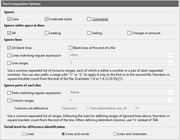
From this page you can make ExamDiff Pro ignore certain lines or parts of lines in text file comparison, that is, not mark them as different. You can also set the detail level for file comparison.
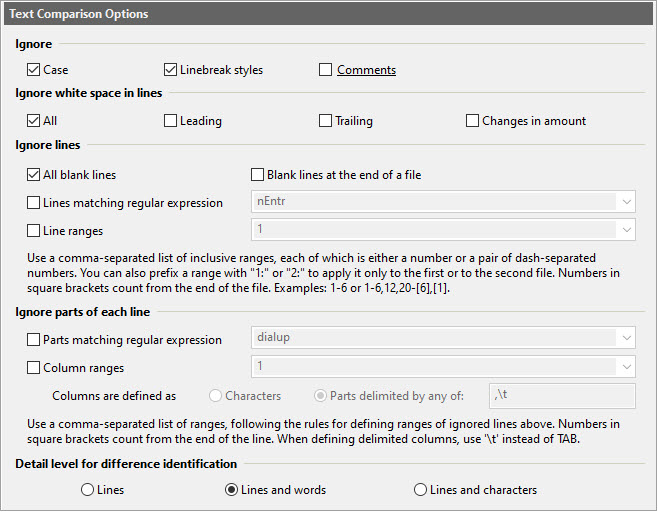
From this page you can make ExamDiff Pro ignore certain lines or parts of lines in text file comparison, that is, not mark them as different. You can also set the detail level for file comparison.
Text Comparison :: Fuzzy Matching
The options in this page control fuzzy matching, which enables ExamDiff Pro to intelligently align lines that are similar but not identical.

The options in this page control fuzzy matching, which enables ExamDiff Pro to intelligently align lines that are similar but not identical.
Text Comparison :: Advanced
This page allows you to force text/binary comparison, select diff algorithm, and match file structures.
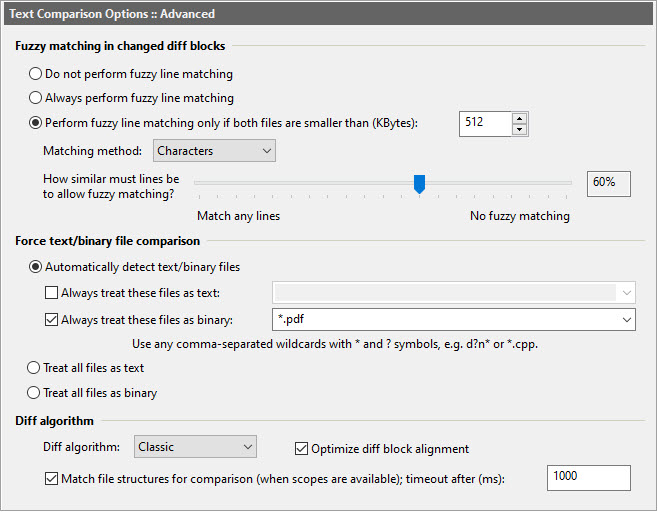
This page allows you to force text/binary comparison, select diff algorithm, and match file structures.
Directory Comparison
ExamDiff Pro gives you great control over how directory comparison is performed, and from this page you can choose from a number of options to make comparison faster or more accurate.
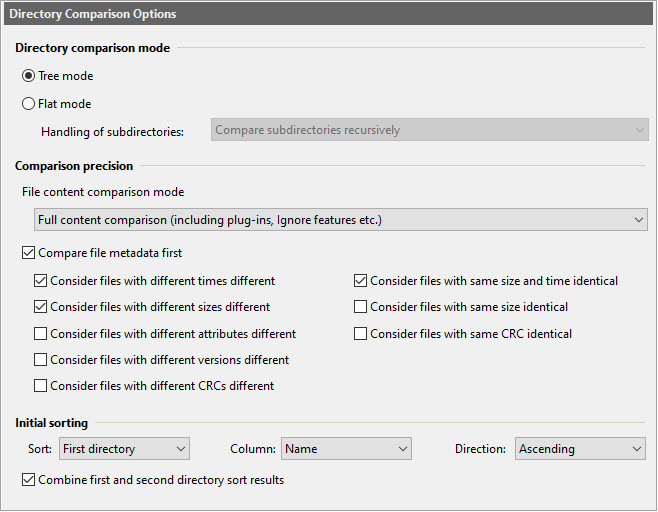
ExamDiff Pro gives you great control over how directory comparison is performed, and from this page you can choose from a number of options to make comparison faster or more accurate.
Directory Comparison :: Filters
This page enables you to set up comparison filters based on file name, size, or date to include or exclude certain files from directory comparison.
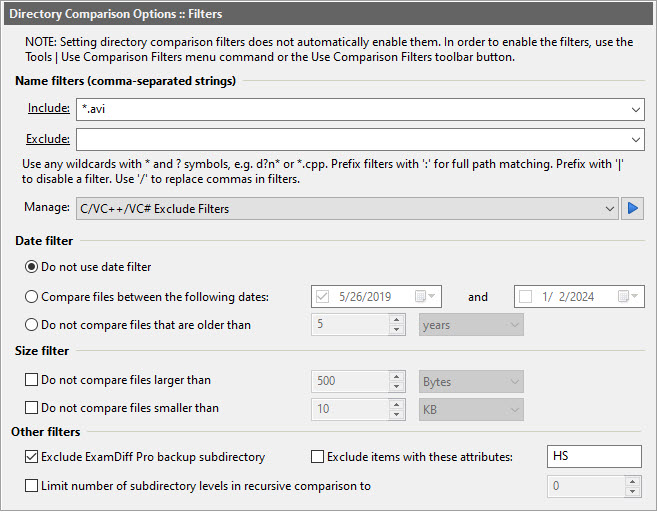
This page enables you to set up comparison filters based on file name, size, or date to include or exclude certain files from directory comparison.
Directory Comparison :: Other
This page gives you more options for directory comparison, such as backing up files replaced during Copy operations, showing empty directories, ignoring small time differences, and more.
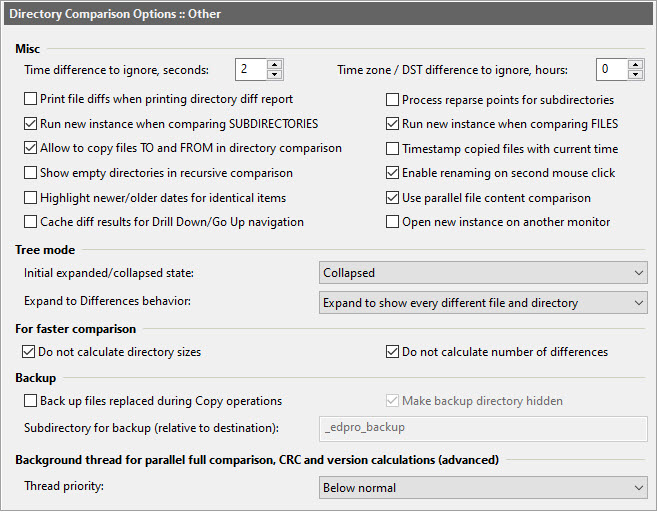
This page gives you more options for directory comparison, such as backing up files replaced during Copy operations, showing empty directories, ignoring small time differences, and more.
Binary Comparison
From this page you can set a number of options that pertain to binary comparison, such as the comparison block size, the number of bytes shown per line, and byte format and character set used.
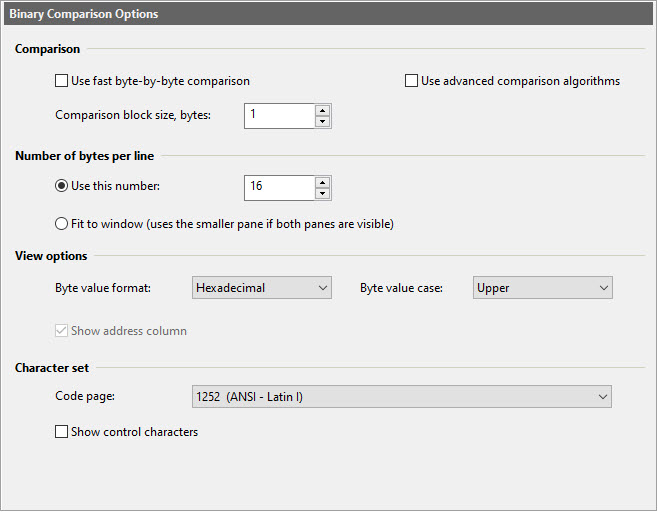
From this page you can set a number of options that pertain to binary comparison, such as the comparison block size, the number of bytes shown per line, and byte format and character set used.
Table Comparison
This page lets you define table file types, set up sorting and ignoring of columns, and specify column coloring options.
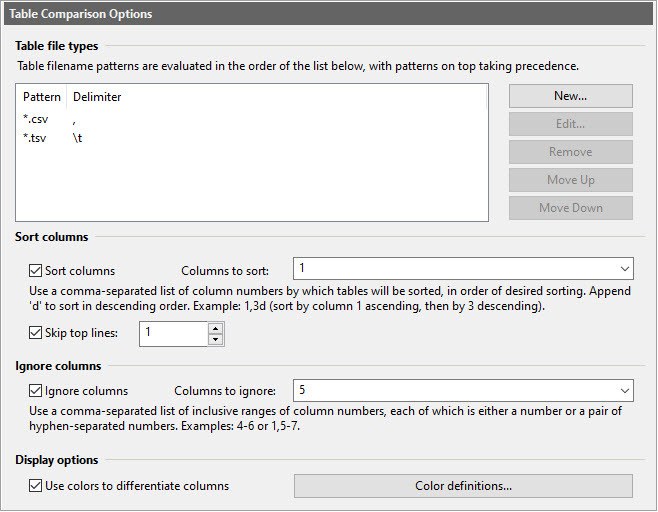
This page lets you define table file types, set up sorting and ignoring of columns, and specify column coloring options.
Text Merge
From this page you can define options for ignoring white space and detail level of comparison during text merge.
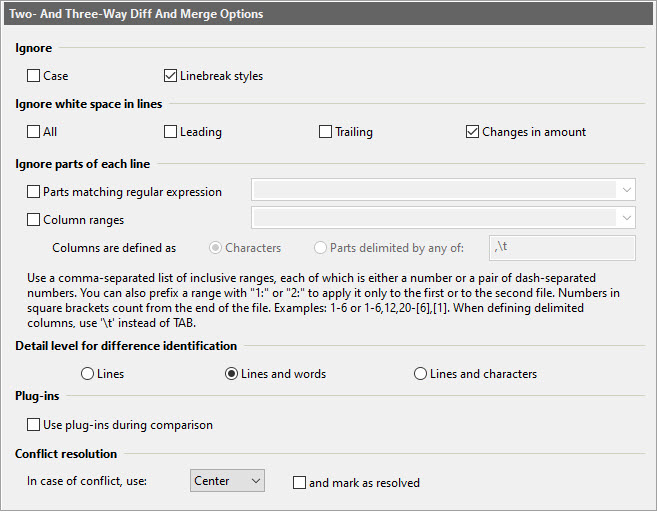
From this page you can define options for ignoring white space and detail level of comparison during text merge.
Text Merge :: Colors
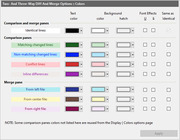
This page allow you to customize colors for text merge differences and output sources.
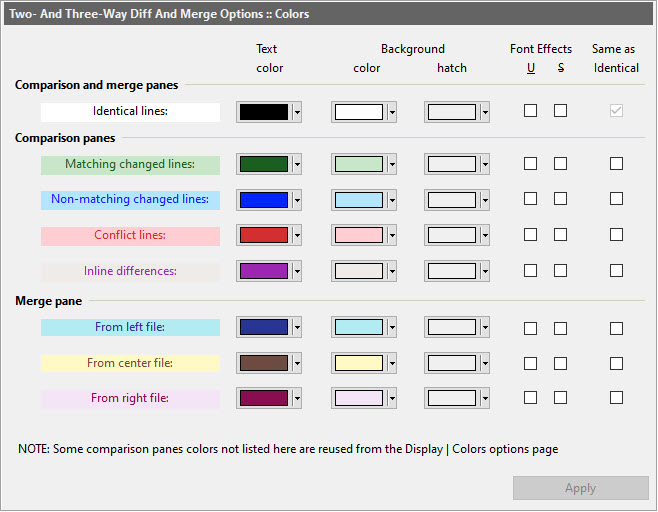
This page allow you to customize colors for text merge differences and output sources.
Document Types
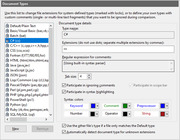
This page lets you define document types, which are used for syntax highlighting and ignoring comments.
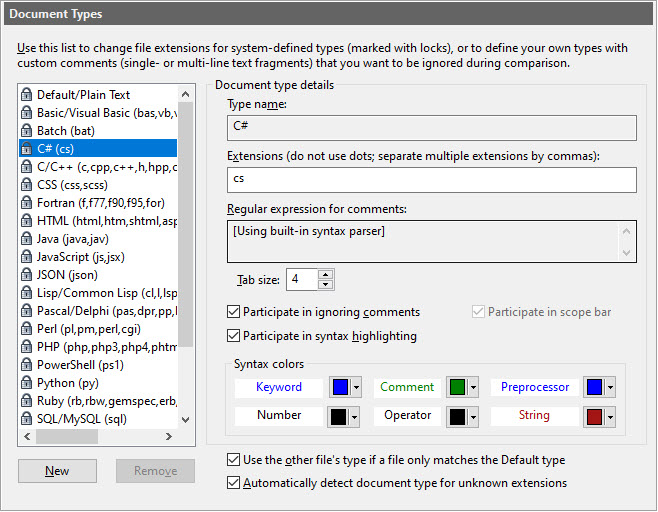
This page lets you define document types, which are used for syntax highlighting and ignoring comments.
Display
This page presents a wide range of options for customizing ExamDiff Pro's display for both file and directory comparison, as well as letting you select screen and printer fonts.
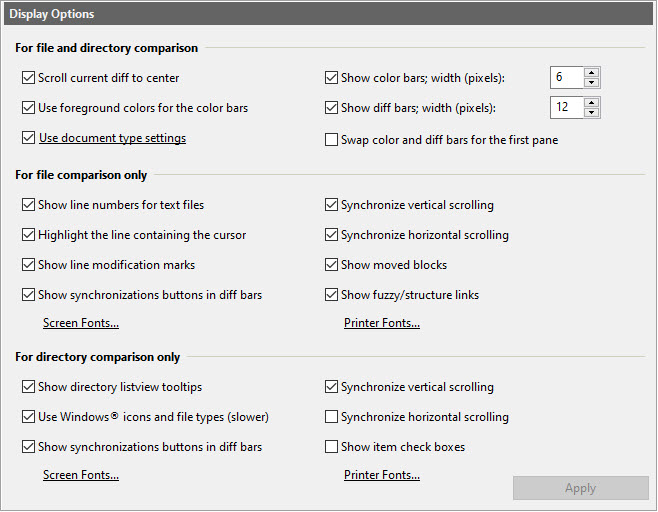
This page presents a wide range of options for customizing ExamDiff Pro's display for both file and directory comparison, as well as letting you select screen and printer fonts.
Display :: Colors
From this page you can select the colors used for all of the difference identification types, as well as font effects.
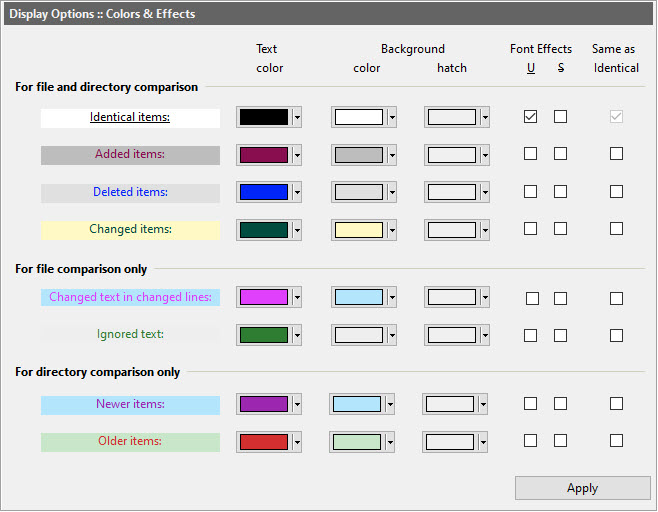
From this page you can select the colors used for all of the difference identification types, as well as font effects.
Display :: View Filter
This page lets you set up a view filter that only displays certain lines (for text file comparison) or files (for directory comparison).
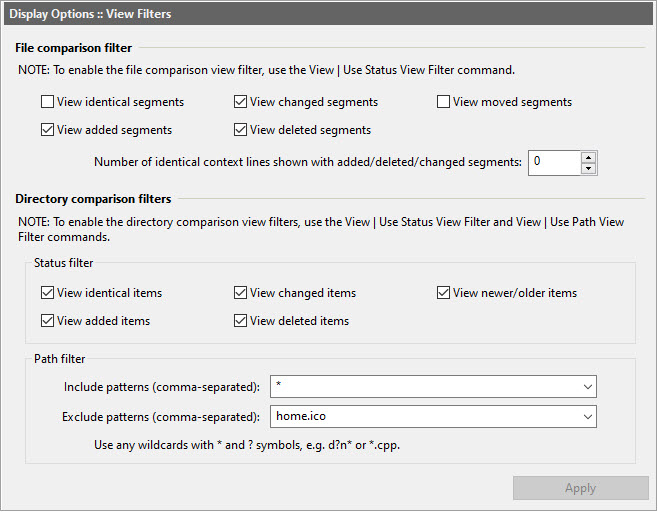
This page lets you set up a view filter that only displays certain lines (for text file comparison) or files (for directory comparison).
Display :: Dir Columns
From this page you can enable, disable, and reorder the columns in directory comparison views.
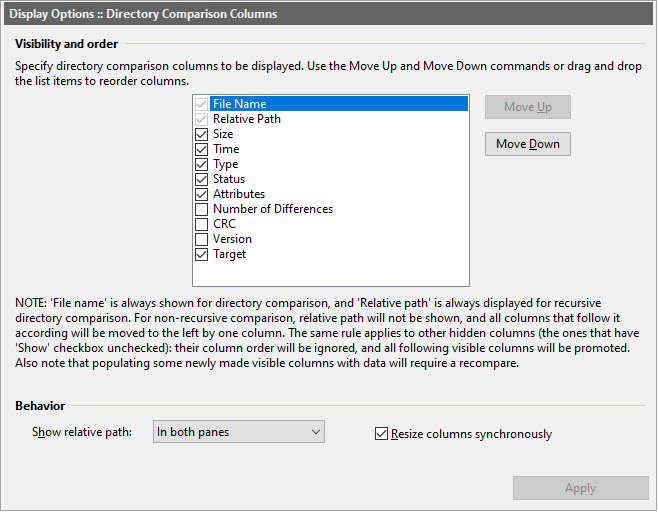
From this page you can enable, disable, and reorder the columns in directory comparison views.
Word Wrap
From this page you can enable or disable word wrap, as well as choosing several options for how word wrap is handled.
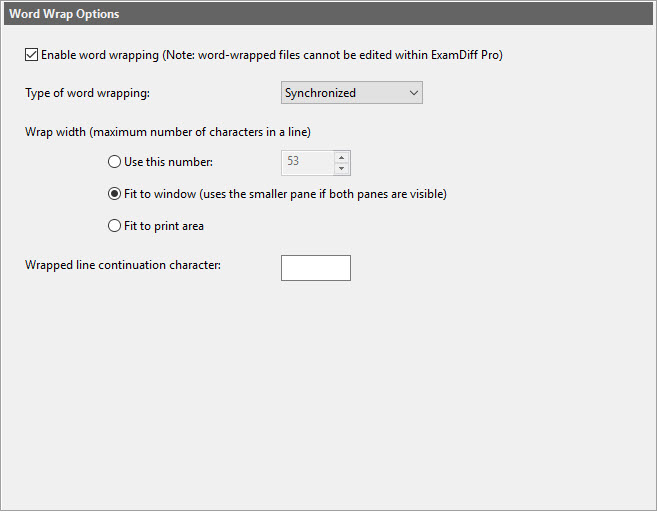
From this page you can enable or disable word wrap, as well as choosing several options for how word wrap is handled.
File Editing
This page lets you enable or disable file editing from within ExamDiff Pro, as well as enabling/disabling automatic file backups, and choosing several other options related to file editing..
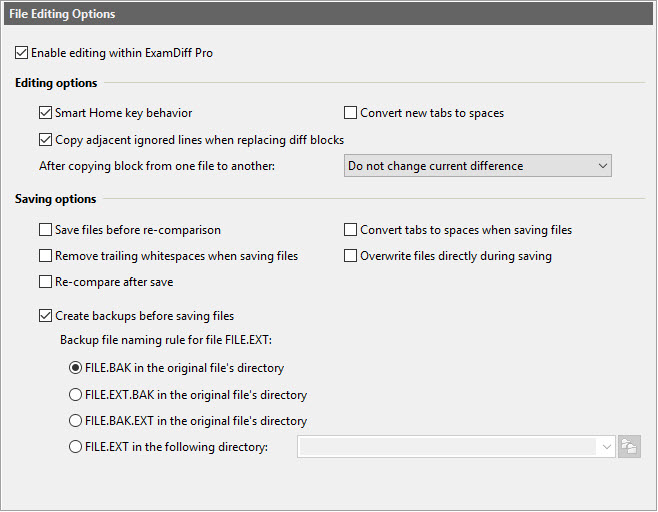
This page lets you enable or disable file editing from within ExamDiff Pro, as well as enabling/disabling automatic file backups, and choosing several other options related to file editing..
HTML
This page lets you select the template file used for HTML diff reports, as well as whether or not JavaScript is enabled for HTML diff reports.
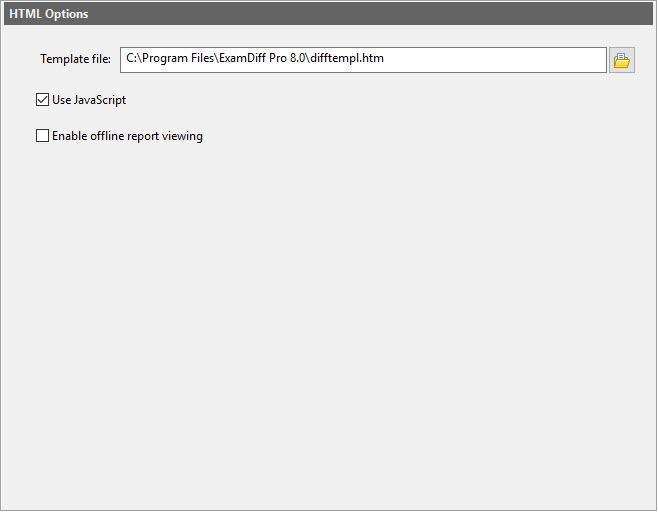
This page lets you select the template file used for HTML diff reports, as well as whether or not JavaScript is enabled for HTML diff reports.
Tools
This page allows you to define external text editors for text and binary file editing.
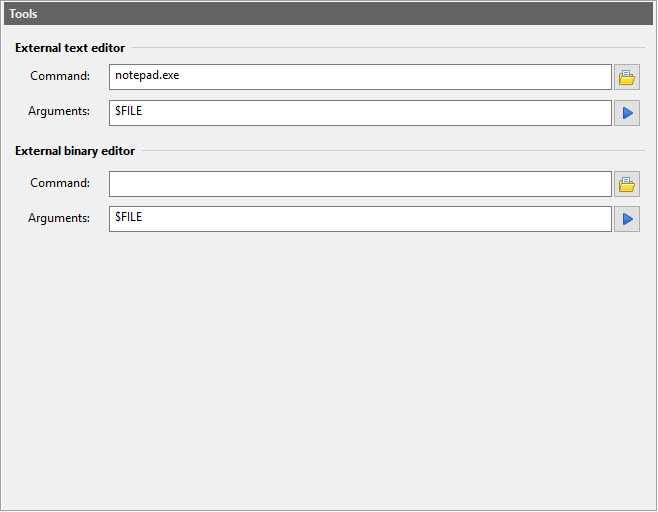
This page allows you to define external text editors for text and binary file editing.
Tools :: Plug-ins
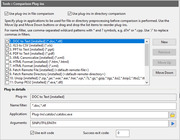
This page allows you to specify plug-in applications to be used on files before comparing them.
This page allows you to specify plug-in applications to be used on files before comparing them.
Misc
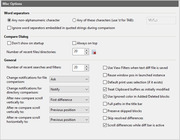
This page lets you set word separator characters, and many other options that don't fit in the other Options pages.
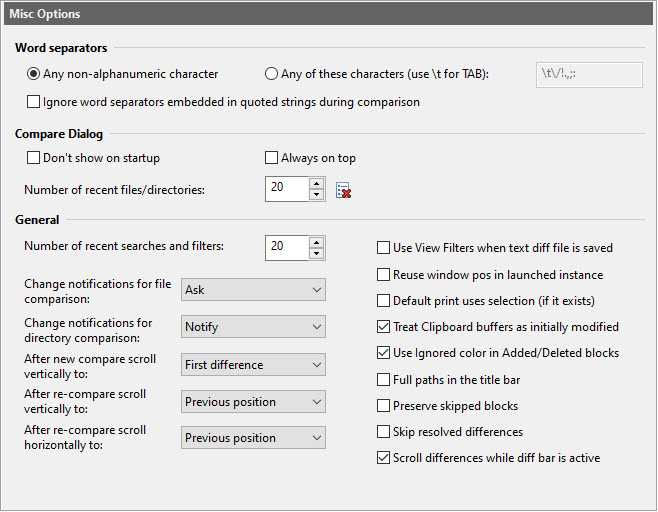
This page lets you set word separator characters, and many other options that don't fit in the other Options pages.
Misc :: Messages
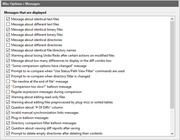
From this page you can select which messages are displayed and which are suppressed.
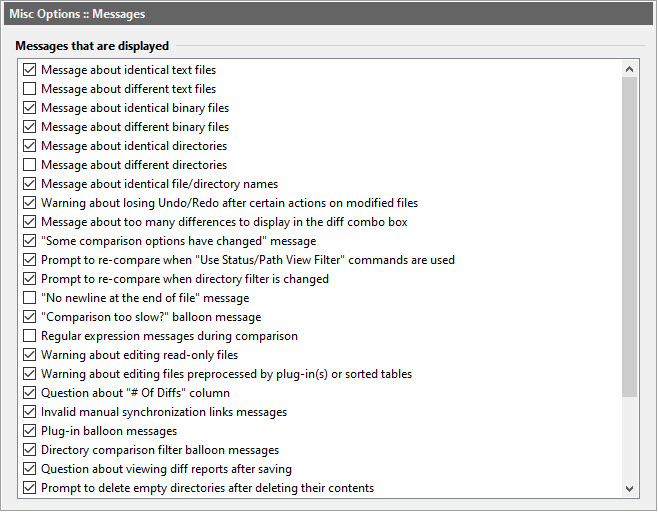
From this page you can select which messages are displayed and which are suppressed.
Global
Global options are those that pertain to all sessions, such as Shell integration, Autopick in the Compare dialog, and program updates.
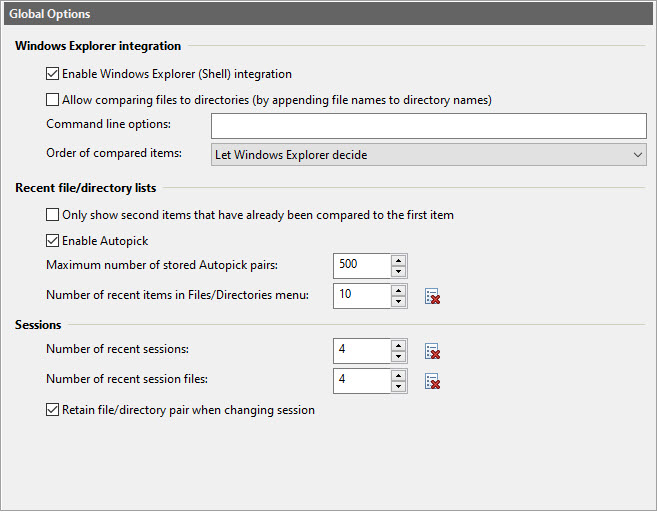
Global options are those that pertain to all sessions, such as Shell integration, Autopick in the Compare dialog, and program updates.
Global :: Keyboard
From this page you can set keyboard shortcuts for ExamDiff Pro commands. These settings are global and affect all sessions.
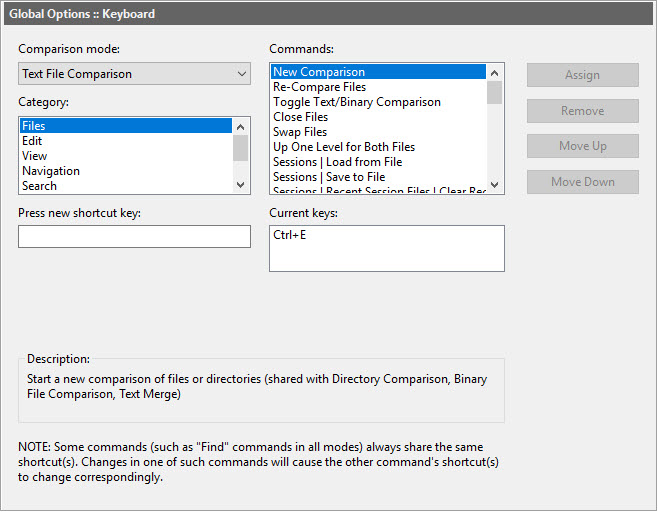
From this page you can set keyboard shortcuts for ExamDiff Pro commands. These settings are global and affect all sessions.
Copyright © 1997-2025 PrestoSoft LLC. All rights reserved.