

Online Help
Page Setup
Toolbar Button

Spawn a dialog box to set up page properties for printing.
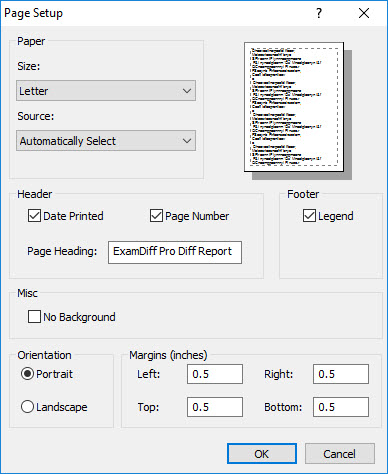
Dialog Box Options
Paper (Size and Source)Set the preferred paper source of the printer and the appropriate size of paper.
Header (Date Printed and Page Number)
Choose whether to print the current date and/or the page number on the
ExamDiff Pro report. You can also change page heading from the default
"ExamDiff Pro Diff Report" to any custom value, including the empty string.
Footer (Legend)
Choose whether to include a legend denoting the
colors and patterns used to distinguish various differences.
Misc (No Background)
Check this option if you want no colored background to be printed.
Orientation
Choose the preferred orientation of the paper.
Margins
Set the preferred margins for the report.
Copyright © 1997-2024 PrestoSoft LLC. All rights reserved.