

Online Help
Options
Default ShortcutCTRL + J
Toolbar Button

Spawn the Options dialog box.
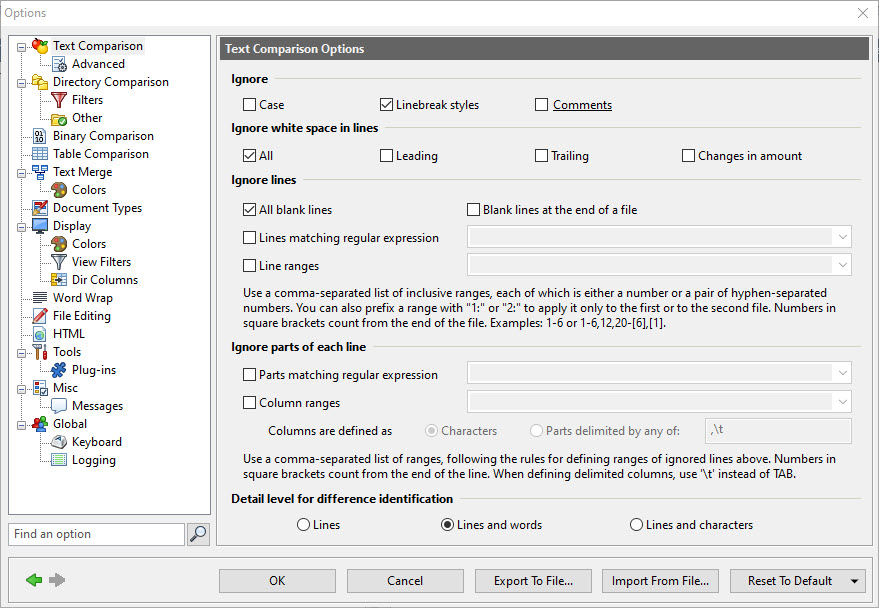
All of ExamDiff Pro options are controlled here. If sessions are used, the options shown (and possible saved) belong to the currently selected (if the Options dialog is invoked from the Compare dialog) or used (if the Options dialog is invoked from the View menu) session.
The following commands are available in the Options dialog:
- Find an option ...
Enter text here to filter the tree of option pages to mark those that contain an option that matches the text, and to highlight options that match the text on the current page.
- Go back one page/Go forward one page
Use these buttons to move from the present Options page to the previous page or on to the next page.
- OK
Save and use specified options.
- Cancel
Close the dialog without saving.
- Export to file
Export current options to a text file.
Note: If you wish to export options for all sessions, rather than just the current session, use the Export Settings command.
- Import from file
Import options from a text file. Options can then be inspected in the pages but they are not saved until OK button is pressed.
Note: If you wish to import options for all sessions, overriding all of your current sessions, use the Import Settings command.
- Reset to default
Reset all session options (not including Global options that apply to all sessions) to the program defaults. Options can then be inspected in the pages but they are not saved until the OK button is pressed. Rather than resetting all options, you can also choose to just reset the options on the current page, by selecting the Reset This Page Only option.
Note: If you wish to reset options for all sessions, overriding all of your current sessions, use the Reset All Settings command.
The following option pages are available in the Options dialog (note that all options except those under Global apply to the current session):
- Text Comparison
- Dir Compare
- Binary Comparison
- Text Merge
- Document Types
- Display
- Word Wrap
- File Editing
- HTML
- Tools
- Misc
- Global