

Online Help
Display - Syntax Colors And Styles Options
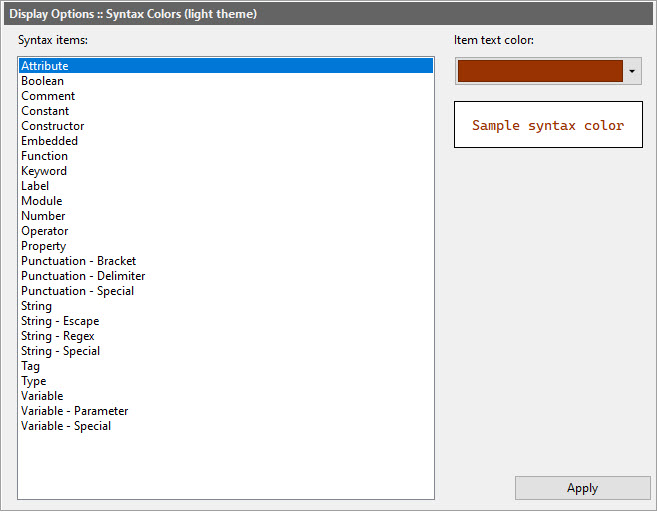
In this options dialog, you can choose the text colors for different syntax elements in compared files. These colors are used for syntax highlighting in document types that support it. Note that different document types define their syntax highlighting differently, so not every syntax element is available in every document type.
Dialog Box Options
Syntax itemsContains a list of all syntax elements available for syntax highlighting in document types.
Item text color and styles
Use this color selector to change the text color of the selected syntax element, and the checkboxes below it to change the syntax element�s style. The preview box below shows how the selected text color will appear.
Apply
Apply changes to the current view.
Copyright © 1997-2026 PrestoSoft LLC. All rights reserved.