

Online Help
Rename Command
Rename a file or directory on the remote server.
Default ShortcutF2
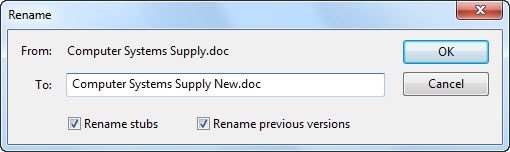
Dialog Box Options
FromDisplays the current file/directory name.
To
Type a new file/directory name here.
Rename stubs
Choose this option if you want to also rename stubs of the selected file. This option is enabled only if a file, not a directory, is selected.
Rename previous versions
Choose this option if you want to also rename previous versions of the selected file. This option is enabled only if the option to store previous versions of files is enabled in Project Options | Advanced and if a file, not a directory, is selected.
Copyright © 1997-2024 PrestoSoft LLC. All rights reserved.