

Online Help
Move Cursor to Line
Default ShortcutCTRL + G
Toolbar Button

Bring up a dialog to move the cursor to an arbitrary line in a file.
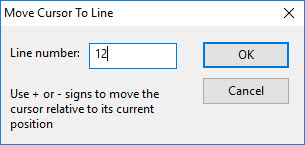
Dialog Box Options
Line numberDestination line number. Note that line numbers are "real", not including extra lines inserted in order to synchronize two files (real line numbers are shown when option "Show line numbers" is enabled). Use + or - signs to move the cursor relative to its current position (this only applies if the cursor is on a real line).
OK
Jump to the desired line.
Cancel
Close the dialog.
Copyright © 1997-2024 PrestoSoft LLC. All rights reserved.