

Online Help
Display - Dir Columns Options
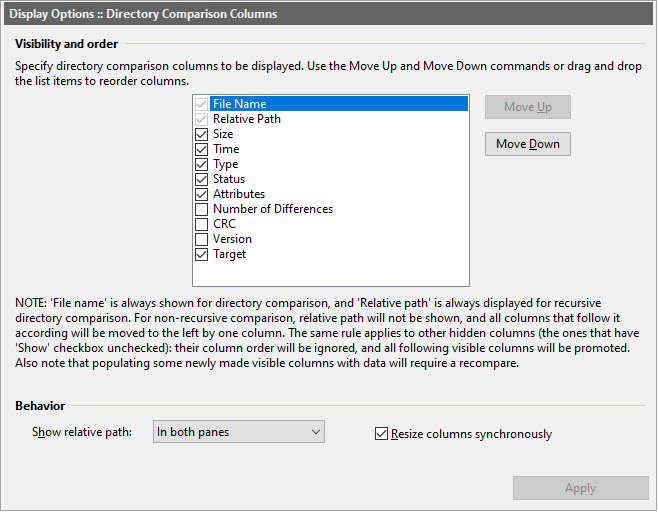
Dialog Box Options
Visibility and orderThis section lets you specify what columns and in what sort order to
show in the directory comparison list view. Note that the File Name
and Relative Path (if recursive comparison is used) columns are
always visible.
Note that in order to see the number of diffs, you need to enable
Perform file content comparison (with Compare files byte-by-byte (fast mode) disabled)
under Options | Directory Comparison
and disable Do not calculate number of differences under
Options | Directory Comparison | Other.
Behavior
- Show relative path
Select whether to show the Relative Path column in both panes, or only in the first or the second pane.
- Resize columns synchronously
If this option is selected, changing a column width in one pane will also change the respective column width in the opposite pane.
Apply changes to the current view.
Copyright © 1997-2024 PrestoSoft LLC. All rights reserved.